
Your designs.
In motion.
Turn any image on your Gendo canvas into a cinematic, design-grade video. High resolution, exact aspect ratio, zero deviation from your design intent.
A true design partner
Bring concepts to life, iterate faster, present with confidence.
Gendo Video helps you build more compelling visual narratives — from early explorations through to client presentation. It abstracts away the AI noise and exposes only the essentials, tailored to the architecture workflow.
Modes of motion
Many ways to move a still
Every clip below was generated in Gendo from a single image. Each preset preserves design intent.
- Walk forward
- Still
- Timelapse
- Orbit
- Pan Left
- Pan Right
- Cinematic edit
- Custom transition
What you get
Designed for the way studios work
Why it's different
Design fidelity, not AI guesswork
Architects perfect every detail in a render — a brick pattern, a facade detail — and that intent often occupies a tiny portion of the image. Generic video models blur or hallucinate it away. Gendo Video was built around two non-negotiables.
High-resolution generation
Fine details — brick courses, mullion shadows, facade patterning — are preserved through the full motion, never muffled out by upscaling artefacts.
Exact aspect ratio matching
Your input image's aspect ratio is preserved exactly. Nothing is cropped, letterboxed, or reframed — the composition you designed is the composition that moves.
Camera presets
Two families. One canvas.
Controlled moves that stay true to your starting frame, or creative tools that give you room to explore.
Controlled
Faithful camera moves
Stay true to your starting frame. The composition holds, the design stays put.
- Walk forward / Walkthrough
- Pan
- Still camera (subtle ambient motion)
- Orbit
- Timelapse
Creative
Room to explore
Build narratives across frames. Morph between states — diagram to building, day to night, sketch to render.
- Cinematic edit — a series of shots from a single image
- Custom transition — set first and last frame (SketchUp → render, day → night, diagram → building)
In the wild
Studios already shipping with Gendo Video
A first look at how architecture and design studios are using Gendo Video on live projects.
Settle
OAS — Exterior, first-to-last frame
Pedro Martins Arquitectura
Campinos Apartments, first-to-last frame
Save frame to canvas
Every frame is a new starting point.
Pause the video at any frame, save it back to the canvas, then enhance, upscale and edit it with all of Gendo's image tools. Iteration never stops at the render.
Try it on your canvas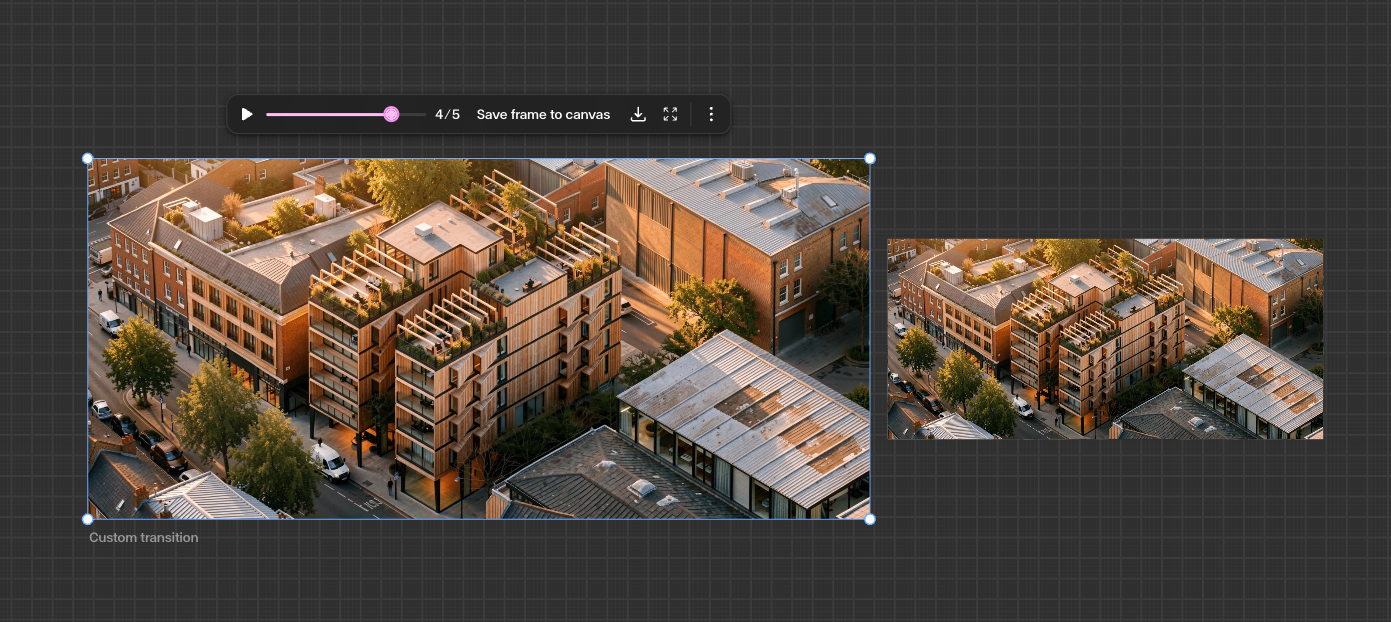
Built for presentations
Drop straight into your deck.
No video editing skills needed. Download 1080p MP4s and chain custom transitions to walk clients from concept diagram to photoreal render. Works with stylised renders too — not just realistic ones.
Concept to client
Walk through your design narrative in one continuous frame.
1080p MP4 export
Drop into Keynote, PowerPoint, or any presentation tool.
Any style
Photoreal, stylised, diagrammatic — your aesthetic holds.
DEVELOPED IN PARTNERSHIP WITH


Frequently Asked Questions
Bring your next presentation to life.
Add Video to your Gendo plan and start animating your renders today.
Get Started with GendoQuestions? support@gendo.ai