AI Architecture
Turn Grey Models Into
Finished Renders, Together
The AI architecture canvas where design teams render, iterate, and present — without leaving the project. Built for architects, not AI hobbyists.
Trusted by 200+ architecture studios worldwide
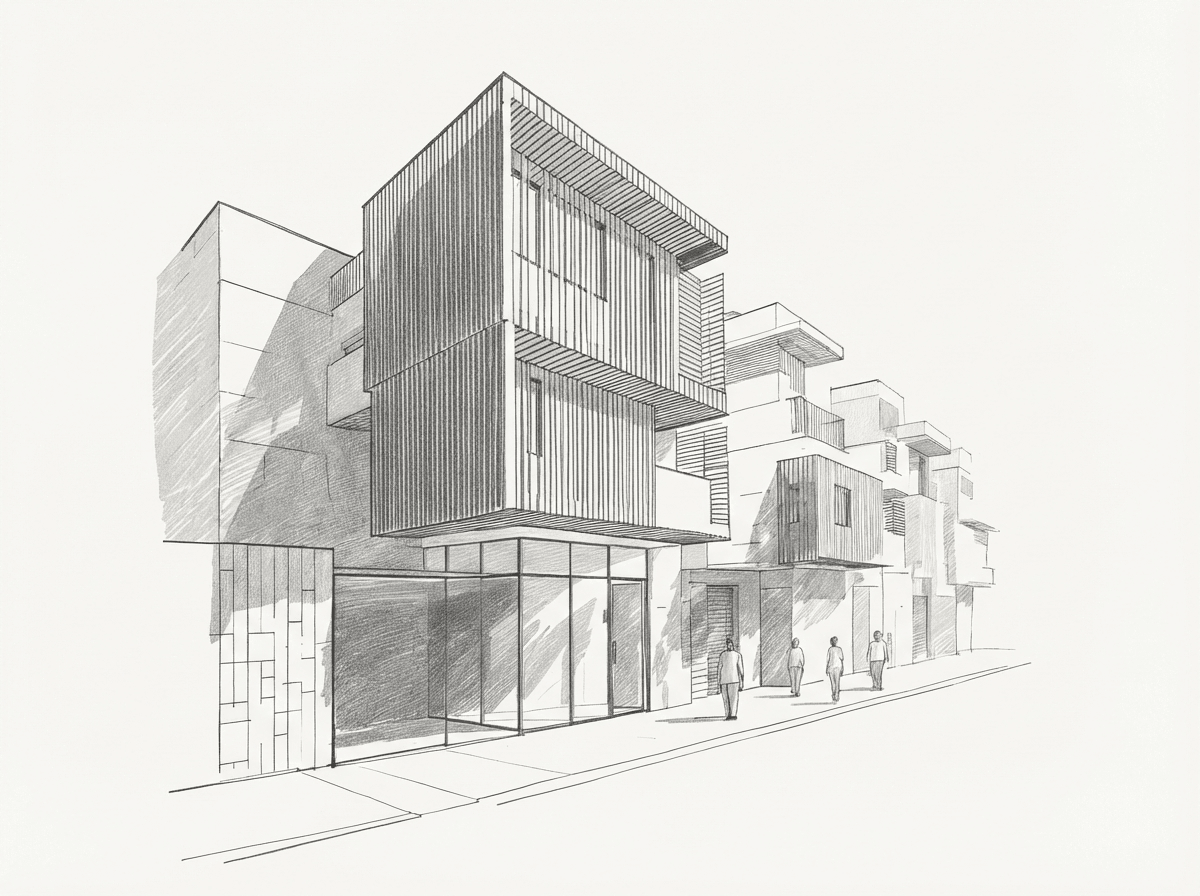 Grey model
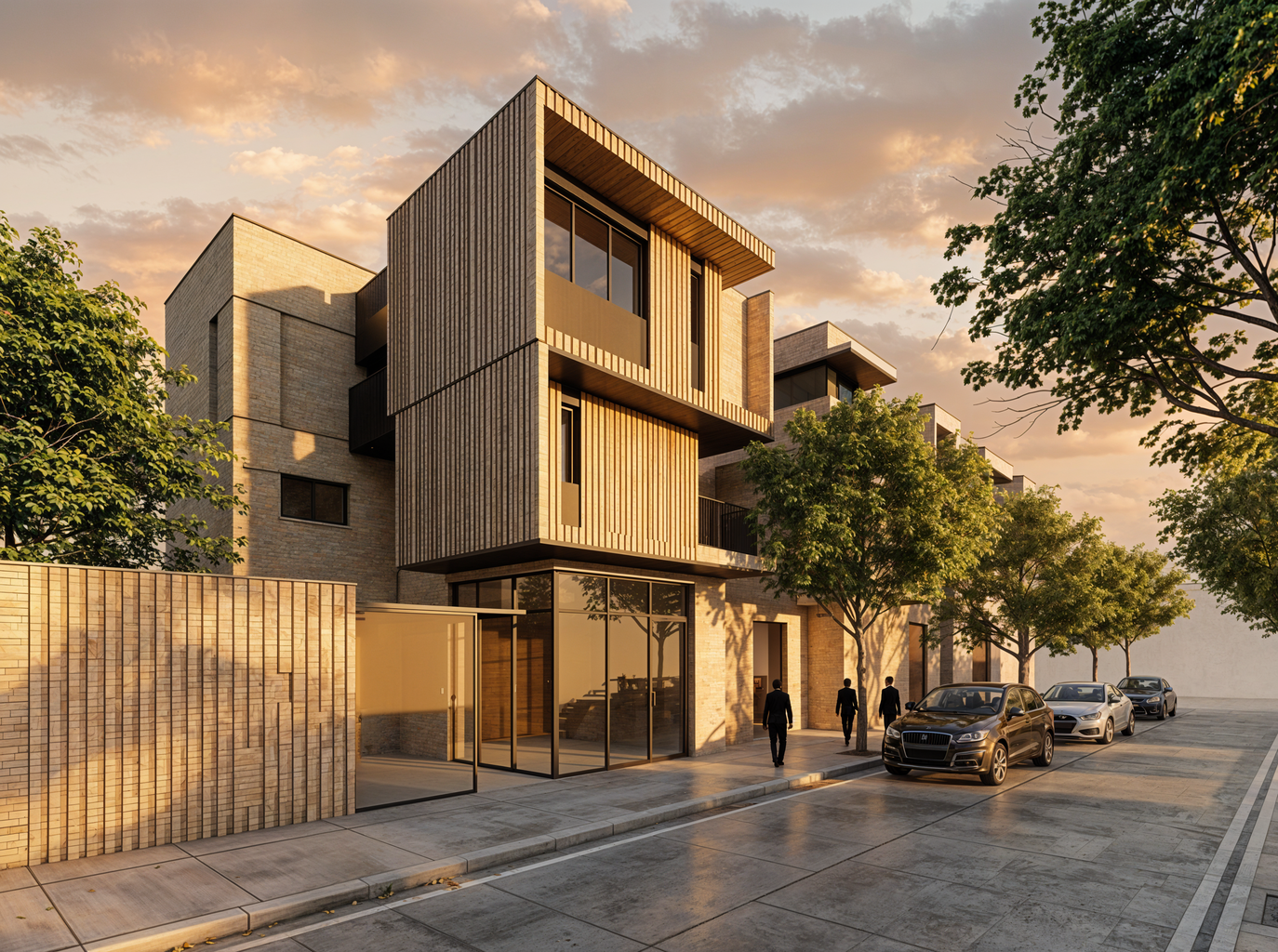 AI render
Understanding AI in architecture
What is AI architecture?
AI architecture is the application of artificial intelligence to architectural design workflows — specifically the visual decision-making that connects design intent to built outcomes. It spans rendering, concept exploration, material testing, and presentation preparation.
The best AI architecture tools reduce the latency between a design idea and a visual that communicates it clearly. For teams working under deadline pressure, that means fewer bottlenecks, more explored options, and stronger client communication.
Unlike generic AI image generators, architecture-specific AI tools preserve design geometry, respect project context, and support the iterative workflows that professional studios depend on.
The gap
Why generic AI tools fall short for architecture teams
Most AI image tools are built for individual creatives working from text prompts. Architecture teams need something different.
Detached from the project
Images are generated in isolation, with no connection to your design files, notes, or previous iterations.
Prompt-heavy, control-light
Getting architectural accuracy from a text prompt alone is unreliable and time-consuming.
No collaboration
There is no shared workspace. Team members pass files back and forth instead of working in context.
No architectural fidelity
Generic tools prioritise visual novelty over design consistency. Geometry shifts, proportions change, details drift.
The product
The AI architecture canvas
Gendo brings AI architectural rendering, material exploration, design iteration, team collaboration, and presentation preparation into a single shared canvas. Every visual decision lives in context — alongside notes, variations, and project history.
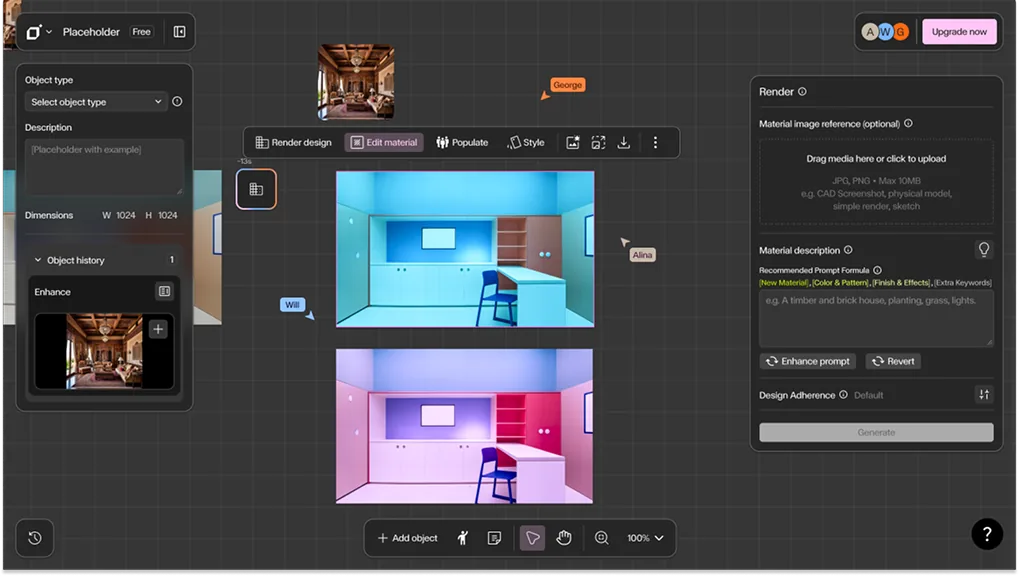
Generate & iterate
Render from grey models, enhance existing images, and explore variations — all in place.
Collaborate in context
Work together in a multiplayer workspace. Add notes, discuss options, and align on decisions.
Present with confidence
Build presentation packs directly from your canvas. Every visual is traceable to a design decision.
Trusted by architecture studios
"Gendo has become an essential part of our visualisation workflow. It allows us to turn technically accurate but flat renders into emotive, presentation-ready images in minutes."
Wayne Greenland
Principal Architect, Habitat Studio Architects
"Incredibly fast for iterating on perspectives and bringing BIM concepts to life with polished, realistic renders."
Maxime Buisson
Architect / BIM Specialist
"A quick way to re-render both interior and exterior designs, making presentations clearer and more impactful."
Abdullah
Architect
"A powerful tool for producing realistic exterior renderings that elevate design concepts instantly."
Edmund Wadeosn
Director of Design
"Turning SketchUp studies into true-to-life visuals, with unlimited iterations to explore materials, textures, and finishes until the concept feels real."
María Fernanda Dionne
Director
"The value was immediate, the first image out of Gendo felt like a no-brainer at the price point. It's fast, architectural, and very useful in live design reviews."
Liam Cox
Urban Designer, MCAU
"Excellent render quality that dramatically enhances images and makes renovation projects look professional and compelling."
Roberto Ortega
Designer
"A huge upgrade for architectural presentations, transforming ideas into high-quality visuals quickly."
Fernando Mendez
Architect
"An amazing way to materialize rough ideas into realistic renders and validate design choices before moving forward."
Natan Bosak
Architect Intern
"Outstanding render refinement for images generated in other 3D software, making workflows smoother and results more polished."
Fabrizio Cattaruzza
Architect
"Fast AI-driven rendering that makes it easier to verify work quickly, and an easy recommendation for other designers."
Gioacchino Marino
Casa di Rosario
"I'm really excited to be using AI now, because we used to spend thousands of dollars on a single high-quality rendering. With Gendo, I can create schematic designs on my own, it's been really fun and empowering to use."
Brittany
Architectural Design Consultant
"Turning a full house from a blueprint into a visualization with Gendo saves me six to seven hours."
Aneudy Salcedo
Architect, Intercultural 3 Design
"The Gendo imagery facilitates conviction in decisions. It's not just the architect saying 'trust me' – the image speaks for itself."
Matt Green
Director of Architecture, Salmon Planning Company
"Sometimes clients only need one key image. With Gendo I can produce it quickly and keep costs sensible—for a solo practice, that's transformative."
Lucia Milone
Principal Architect, Lanza Architects
"I would absolutely encourage other designers and studios to give Gendo a try. It's a powerful tool that has transformed how we approach early-stage visualisation."
Bianca Peplar
Interior Designer & Rendering Specialist, Cascadia Architects
"Gendo has become an essential part of our visualisation workflow. It allows us to turn technically accurate but flat renders into emotive, presentation-ready images in minutes."
Wayne Greenland
Principal Architect, Habitat Studio Architects
"Incredibly fast for iterating on perspectives and bringing BIM concepts to life with polished, realistic renders."
Maxime Buisson
Architect / BIM Specialist
"A quick way to re-render both interior and exterior designs, making presentations clearer and more impactful."
Abdullah
Architect
"A powerful tool for producing realistic exterior renderings that elevate design concepts instantly."
Edmund Wadeosn
Director of Design
"Turning SketchUp studies into true-to-life visuals, with unlimited iterations to explore materials, textures, and finishes until the concept feels real."
María Fernanda Dionne
Director
"The value was immediate, the first image out of Gendo felt like a no-brainer at the price point. It's fast, architectural, and very useful in live design reviews."
Liam Cox
Urban Designer, MCAU
"Excellent render quality that dramatically enhances images and makes renovation projects look professional and compelling."
Roberto Ortega
Designer
"A huge upgrade for architectural presentations, transforming ideas into high-quality visuals quickly."
Fernando Mendez
Architect
"An amazing way to materialize rough ideas into realistic renders and validate design choices before moving forward."
Natan Bosak
Architect Intern
"Outstanding render refinement for images generated in other 3D software, making workflows smoother and results more polished."
Fabrizio Cattaruzza
Architect
"Fast AI-driven rendering that makes it easier to verify work quickly, and an easy recommendation for other designers."
Gioacchino Marino
Casa di Rosario
"I'm really excited to be using AI now, because we used to spend thousands of dollars on a single high-quality rendering. With Gendo, I can create schematic designs on my own, it's been really fun and empowering to use."
Brittany
Architectural Design Consultant
"Turning a full house from a blueprint into a visualization with Gendo saves me six to seven hours."
Aneudy Salcedo
Architect, Intercultural 3 Design
"The Gendo imagery facilitates conviction in decisions. It's not just the architect saying 'trust me' – the image speaks for itself."
Matt Green
Director of Architecture, Salmon Planning Company
"Sometimes clients only need one key image. With Gendo I can produce it quickly and keep costs sensible—for a solo practice, that's transformative."
Lucia Milone
Principal Architect, Lanza Architects
"I would absolutely encourage other designers and studios to give Gendo a try. It's a powerful tool that has transformed how we approach early-stage visualisation."
Bianca Peplar
Interior Designer & Rendering Specialist, Cascadia Architects
Core workflow
Grey model to finished render, faster
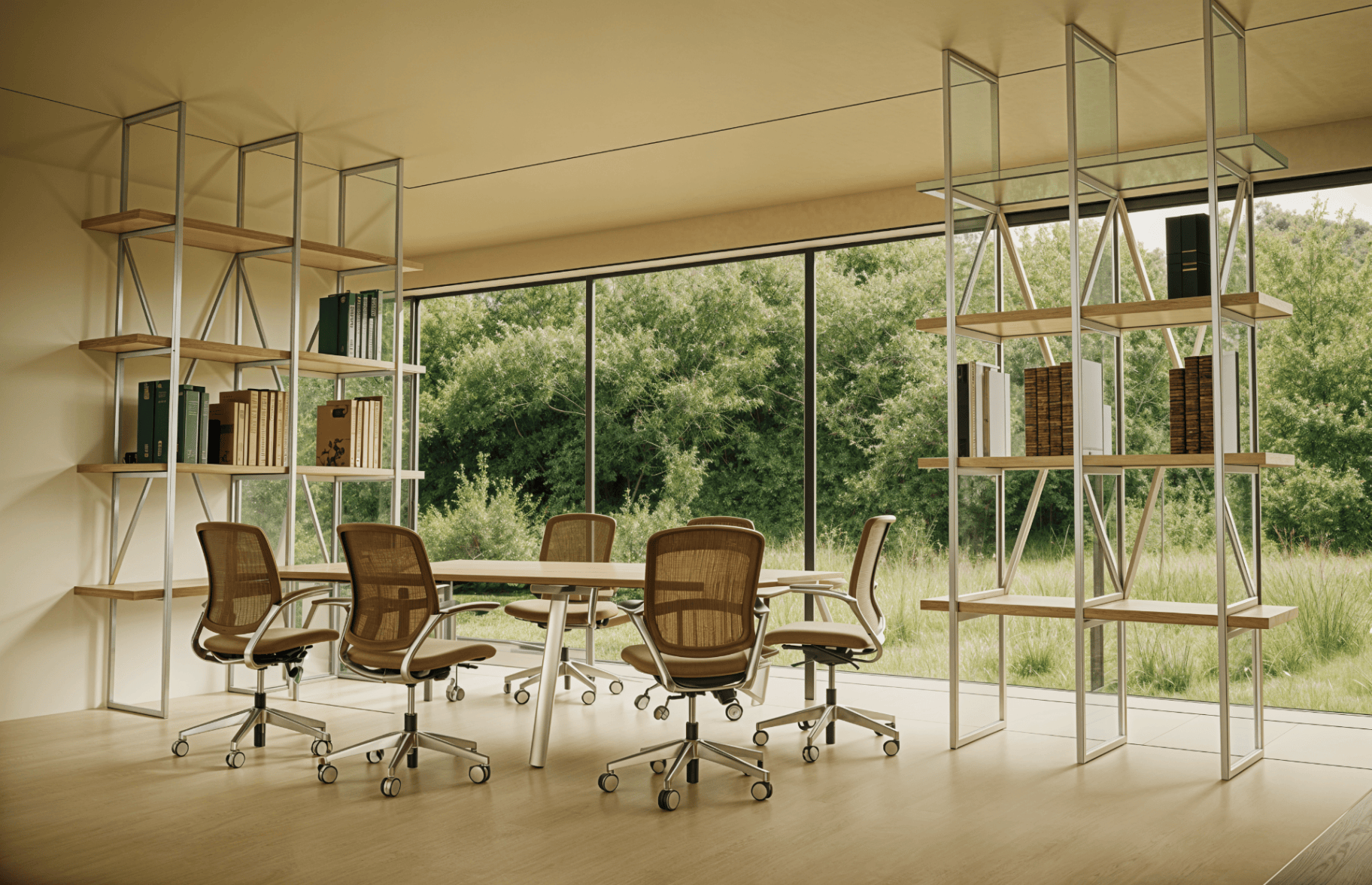
The core AI architectural rendering workflow starts with what you already have — a grey model export, a SketchUp viewport, a CAD screenshot — and transforms it into a presentation-ready visual in minutes.
Upload your model
Export a grey render or screenshot from SketchUp, Revit, Rhino, or any CAD tool.
Render with AI
Generate photorealistic renders with architectural context, materials, and lighting.
Iterate & refine
Test materials, adjust styles, explore variations. Discuss with your team in place.
Export & present
Download final visuals or build a presentation pack directly from the canvas.
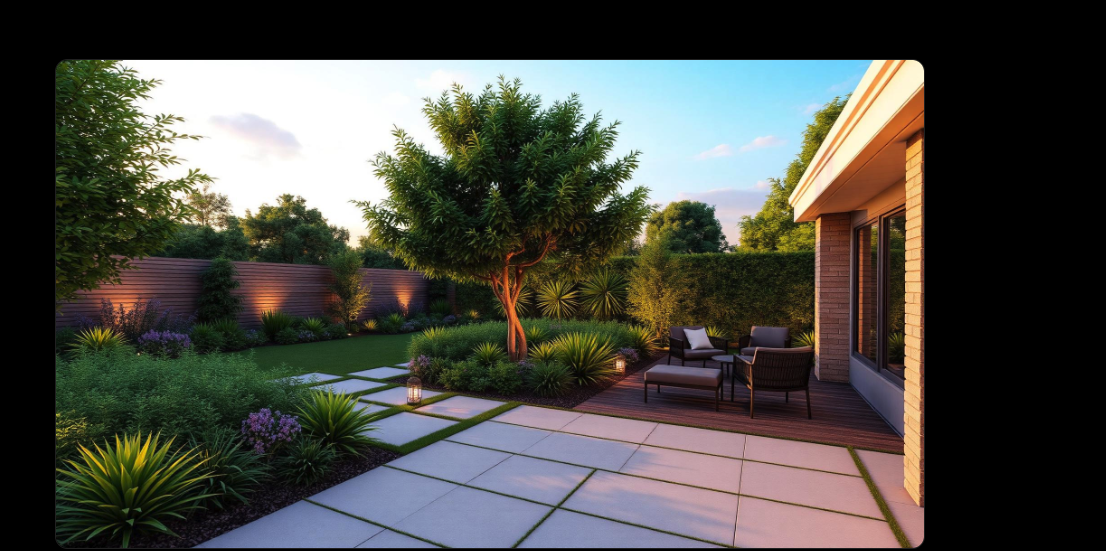 Before
 After
AfterTeam-first design
Built for design teams, not AI hobbyists
Gendo is designed for teams that ship decisions — not isolated renders. Every feature is built around how architecture studios actually work: together, under pressure, with accountability.
Multiplayer workspace
Your team works in the same canvas, in real time. No more file-passing or version confusion.
Notes & reasoning
Capture design decisions alongside the visuals that informed them. Everything stays in context.
Presentation packs
Build client-ready presentation sets directly from your project canvas.
IP & data security
On paid plans, prompts and outputs are never used for training. Your design IP stays with your studio.
AI complexity, abstracted
Access the latest AI models through purposeful design tools. No prompt engineering required.
Faster feedback loops
Reduce the time between design intent and visual clarity from days to minutes.
How architecture teams use AI rendering
Concept visualisation
Move from early sketches and massing models to visual clarity in minutes.
Client presentations
Prepare polished, presentation-ready visuals without external visualisation pipelines.
Planning applications
Generate contextual renders that communicate design intent for planning submissions.
Material testing
Explore material palettes and finishes directly on your design, side by side.
Competition work
Iterate faster through design variations to strengthen competition submissions.
Internal design reviews
Align your team around visual options before committing to a direction.
Test materials, explore directions
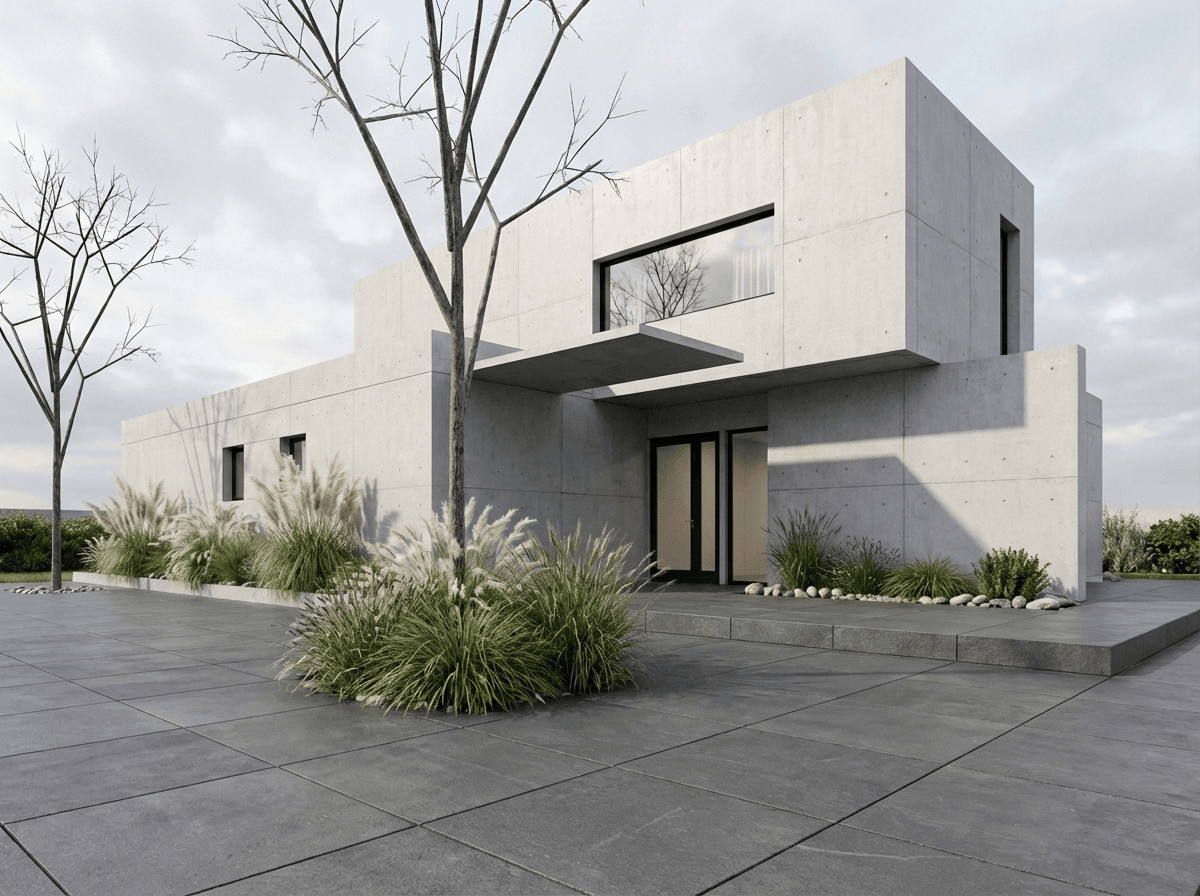
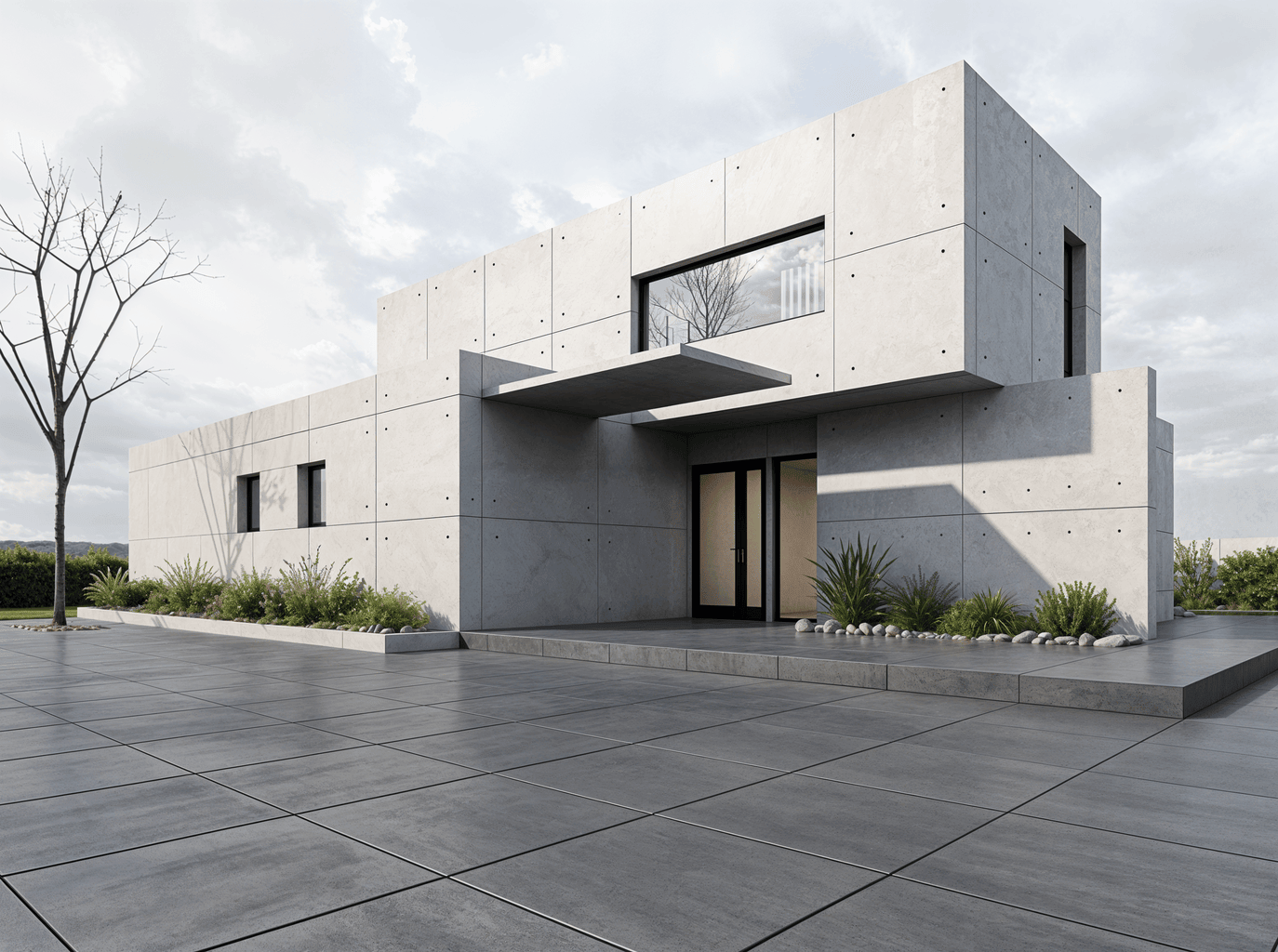
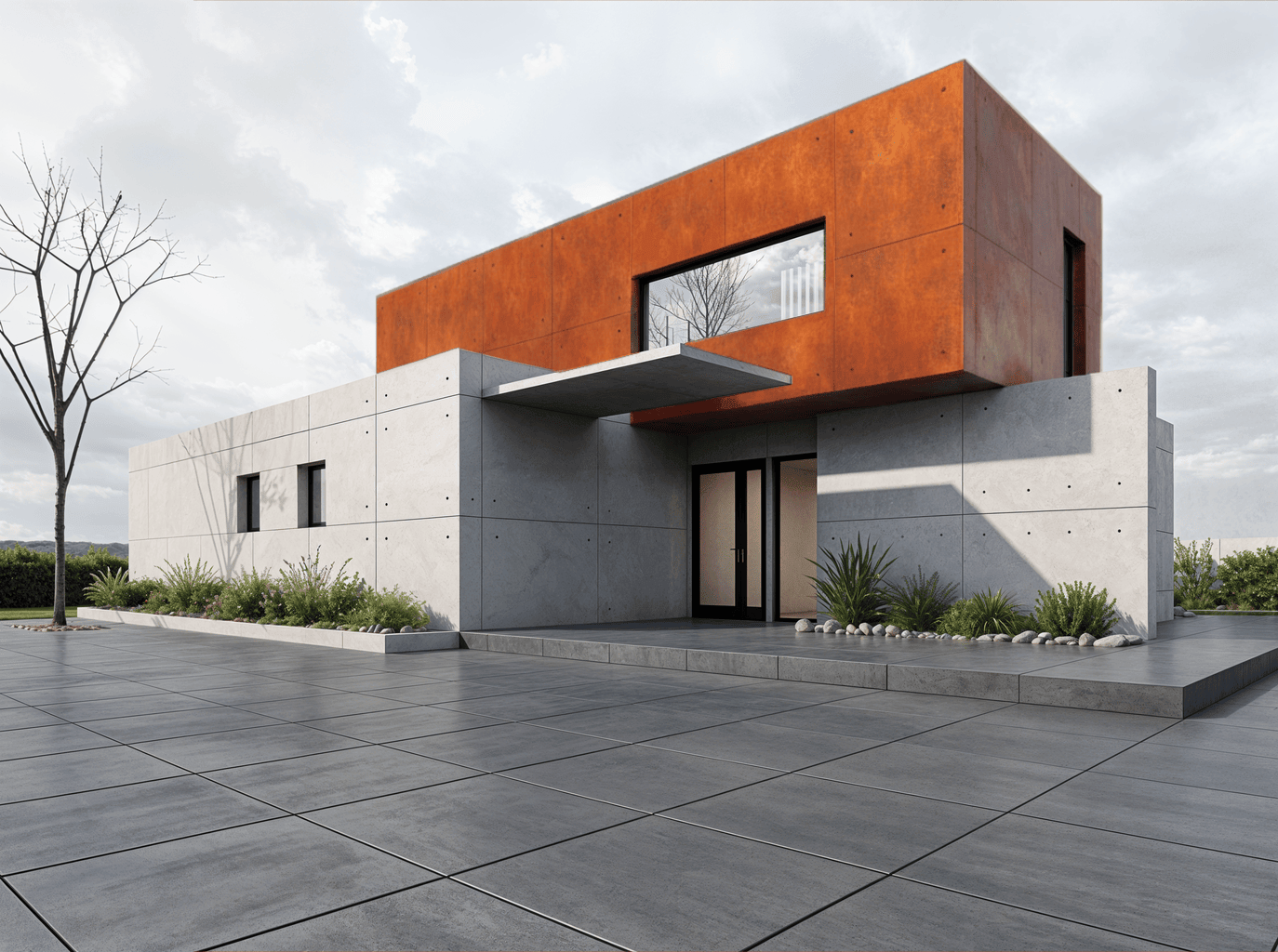
Change materials across a render with a single action. Compare options side by side. Make decisions based on visual evidence, not guesswork.
Why Gendo is different
Gendo is not a CAD replacement. Not a BIM tool. Not an AI art generator. Not a model dashboard. Not a chatbot detached from your project.
Gendo is an AI-native collaborative architecture canvas — a shared workspace where teams generate, iterate, discuss, and deliver architectural visuals with embedded intelligence and professional trust.
AI complexity is abstracted into purposeful design functions. Your team focuses on architectural decisions. The infrastructure stays invisible.
AI architecture tools compared
| Capability | Traditional rendering | Generic AI tools | Gendo |
|---|---|---|---|
| Architectural fidelity | |||
| Team collaboration | |||
| Project context & continuity | |||
| In-place iteration | |||
| Material changes | |||
| Presentation workflow | |||
| AI complexity abstracted | |||
| Security & IP clarity | |||
| Speed to visual clarity | |||
| Grey model to finished render |
Why architects use AI rendering
Faster client feedback
Share visual options within the same working session. Shorten the loop between design discussion and client alignment.
More design exploration
Test more directions in less time. AI rendering removes the bottleneck that limits how many options your team can explore.
Lower visualisation cost
Reduce reliance on external CGI partners for early-stage and mid-stage visuals. Keep exploration in-house.
Better presentations
Present with visuals that communicate intent clearly — for clients, planners, and internal reviews.
Your IP, protected
On Studio and Enterprise plans, your designs are protected by default. Prompts and outputs are never used to train AI models. Architectural IP remains with your studio.
Gendo operates on GDPR-compliant EU data centres. Enterprise plans include SSO, audit logs, and custom data processing agreements.
Learn about data & controlStart your AI architecture project
Create your canvas for free. Upload a grey model, generate your first render, and see how AI architectural rendering fits into your workflow.