Free Cutout People PNGs for Architectural Renders

Joe Sherman · Head of Growth at Gendo
2 June 2026
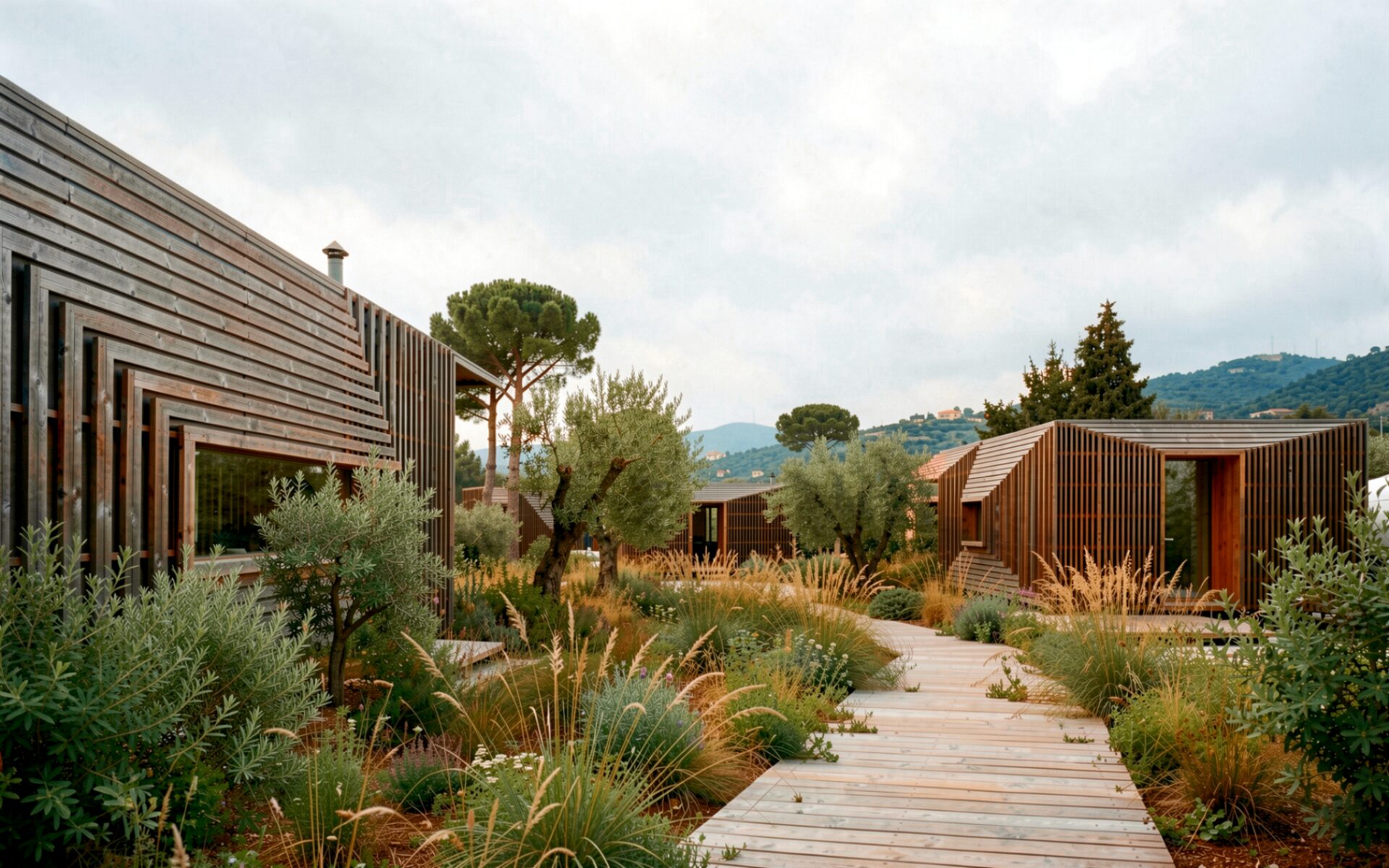
Empty renders fail. A photoreal building with no one in it reads as a model, not a place. Scale collapses, programme disappears, and the viewer is left guessing how the space is meant to be used.
Cutout people — transparent-background PNGs of figures walking, sitting, standing — are the fastest way to give a render scale, activity and intent. The problem is that most cutout libraries are expensive, low-resolution, badly masked, demographically narrow, or all four. This guide is a complete reference to free cutout people for architectural visualisation, how to use them properly across the major rendering tools, and when to skip libraries entirely and generate your own.
Browse the free Gendo Cutout Database: 236+ transparent-background people PNGs, no sign-up required.
What Are Cutout People?
Cutout people (also called "people PNGs", "entourage", "scale figures" or "2D entourage") are photographs or AI-generated images of human figures with the background removed, saved as PNGs with an alpha channel. They drop directly onto an architectural render or diagram without further masking.
They differ from 3D entourage assets (rigged characters or photoscanned meshes used in Lumion, Enscape, Twinmotion or 3ds Max) in three important ways:
- Weight — a PNG is kilobytes; a 3D person can be hundreds of megabytes.
- Workflow — PNGs live in post-production (Photoshop, After Effects); 3D figures live in the scene.
- Control — PNGs are fixed perspective; 3D figures can be lit and re-angled.
Most professional architectural visualisers use both: 3D figures for hero shots that need accurate shadow casting, PNG cutouts for everything else — diagrams, elevations, sections, planning visuals, post-production overlays, and quick presentation boards.
The Problem with Most Entourage Libraries
If you have ever spent an afternoon hunting for a specific figure, you already know the failure modes:
- 1.Limited diversity. Most stock libraries skew young, Western and able-bodied. They do not represent the actual communities your buildings serve.
- 2.Low resolution. Figures shot at 1500 px look passable at thumbnail size and fall apart at A1.
- 3.Poor masking. Hair fringes, fingers and footwear are the giveaways. Bad alpha channels haunt a render at every zoom level.
- 4.Inconsistent perspectives. A library full of front-on figures is useless for a side-elevation street view.
- 5.Restrictive licensing. "Free" often means "free for personal use" — not for client deliverables, competitions, or planning submissions.
The result is a folder of two thousand cutouts of which maybe forty are usable on any given project.
Introducing Gendo's Free Cutout Database
The Gendo Cutout Database is a free, searchable library of 236+ transparent-background PNG people, built specifically for architectural visualisation. Every figure was generated by Gendo's AI rendering engine, masked at production quality, and released for use in commercial architectural work.
Key features:
- 236+ figures and growing, all transparent-background PNGs.
- Filter by pose — walking, sitting, standing, running, dancing, jogging.
- Filter by demographics — ethnicity (African, Arabic, Asian, Caucasian, Hispanic, Indian), sex, age (child, young adult, adult, middle-aged, senior).
- Filter by camera angle — front, side, back — so figures match the perspective of your scene.
- Clean alpha channels that hold up at print resolution.
- No sign-up, no email gate, no watermark.
- Free for commercial architectural use including client deliverables, competition boards and planning submissions.
If the library does not contain the figure you need, you can generate a custom cutout in Gendo — pose, clothing, demographics and camera angle to brief — in seconds.
Best Types of People PNGs for Architectural Visualisation
Different scenes need different figures. Choose pose by what the render is trying to communicate.
Walking People PNGs
Walking figures are the most-used cutout in architectural rendering. They imply movement, programme and life. Use them for:
- Street-level public-realm views
- Masterplans and urban design proposals
- Mixed-use ground floors and retail frontages
- Transport interchanges and station environments
Match the camera angle carefully — a front-on walker in a side-on street scene reads as photoshopped immediately.
Sitting People PNGs
Sitting figures slow a scene down. They convey dwell, hospitality and programme. Use them for:
- Cafés, restaurants and lobby spaces
- Public-realm benches, steps and amphitheatres
- Workplace breakout and collaboration zones
- Civic and library interiors
Standing People PNGs
Standing figures are the quiet workhorses of architectural entourage. They establish scale without distracting from the building. Use them for:
- Elevations and orthographic views
- Section drawings
- Background populating in middle-distance
- Composition anchors at thresholds and entrances
Running and Jogging People PNGs
Running figures bring energy and athleticism. Use them sparingly — one or two per scene — for:
- Parks, riverside paths and public green space
- Sports and leisure schemes
- Health and wellbeing buildings
Groups and Crowds
Real public space is rarely populated by evenly spaced individuals. Mix sitting, standing and walking figures in small clusters of two to four. Vary demographics, ages and camera angles within each cluster to avoid the "stock photo" tell.
How to Use Cutout People in Architectural Renders
Five principles separate a populated render from a credibly inhabited one.
- 1.Scale. Match figure height to known dimensions in the scene — a typical adult is 1.7m, a door head is 2.1m. Resize against the model, not by eye.
- 2.Perspective. Match camera angle. Front-on figures belong in front-on views. Side-on figures belong in street scenes. Back-turned figures pull the viewer's eye into the composition.
- 3.Placement. Foreground figures anchor the composition and set scale. Middle-distance figures fill programme. Background figures suggest depth. Avoid lining figures up on a single ground plane.
- 4.Scene storytelling. Ask what each figure is doing and why. A café needs people sitting, queuing, leaving. A library needs people reading, browsing, talking quietly. Programme is a brief, not a decoration.
- 5.Community representation. The people in a render are an editorial choice. Reflect the demographics of the community the building actually serves — age range, ethnicity, mobility, dress. This matters in planning submissions and increasingly in client briefs.
Software-Specific Guides
Every rendering and post-production tool handles PNG entourage slightly differently. Here is how to get cutout people into the major architectural pipelines.
Cutout People for Lumion
Lumion supports 2D PNG figures as "Fine-detail Nature" or "Custom" billboard objects, but most visualisers add cutout people in post-production after the Lumion render leaves the application.
- Use Lumion's built-in 3D entourage for hero shots that need accurate shadows.
- Export the Lumion render as a PNG with the alpha channel preserved, then composite cutout people in Photoshop or Affinity Photo for back-up shots, planning visuals and quick iterations.
- Front and side-angle PNGs from a free library like the Gendo Cutout Database match Lumion's standard camera heights well.
Cutout People for Enscape
Enscape ships a 3D asset library, but PNG cutouts remain useful for post-production polish on Enscape renders that need a more editorial look.
- Render Enscape output at print resolution with the alpha channel enabled.
- In Photoshop, drop in transparent-background PNG people for background and middle-distance populating.
- Use Enscape's 3D figures only where you need a figure to cast accurate shadow into the scene.
Cutout People for Revit
Revit handles 2D entourage through RPC (Rich Photorealistic Content) families and as image-based decals. For most practices, the faster workflow is to render in Revit (or export to Enscape / Twinmotion) and add PNG cutout people in Photoshop.
- Use Revit's built-in scale figures for technical drawings.
- For presentation renders, export with transparent background and composite free cutout people in post.
- Keep a curated folder of front, side and back-angle PNGs that match your practice's standard view setups.
Cutout People for SketchUp
SketchUp's 2D Face Me components are the original cutout-people workflow — image planes that rotate to always face the camera. They work, but they betray themselves in oblique views.
- For diagrams and concept views, Face Me components from a free PNG library are fast and effective.
- For client-facing renders, export from V-Ray or Enscape with alpha enabled and composite cutout people in post-production.
- Match the camera angle filter on the Gendo Cutout Database to your standard SketchUp scene cameras.
Cutout People for Photoshop
Photoshop is where most cutout people work actually happens, regardless of which renderer produced the building. The workflow is the same on every project:
- 1.Place the transparent-background PNG as a smart object so resizing stays non-destructive.
- 2.Match scale against a known dimension in the render.
- 3.Add a colour-corrected drop shadow at the angle of the scene's primary light source.
- 4.Apply a subtle levels or curves adjustment clipped to the figure so it picks up the render's colour temperature.
- 5.For middle-distance and background figures, add a light gaussian blur to match the scene's depth of field.
A well-composited PNG cutout person should be indistinguishable from a 3D figure in the final image.
When You Need Custom Cutout People
Libraries — even good ones — eventually run out. The figure you need is wearing the wrong clothing, facing the wrong way, or simply does not exist.
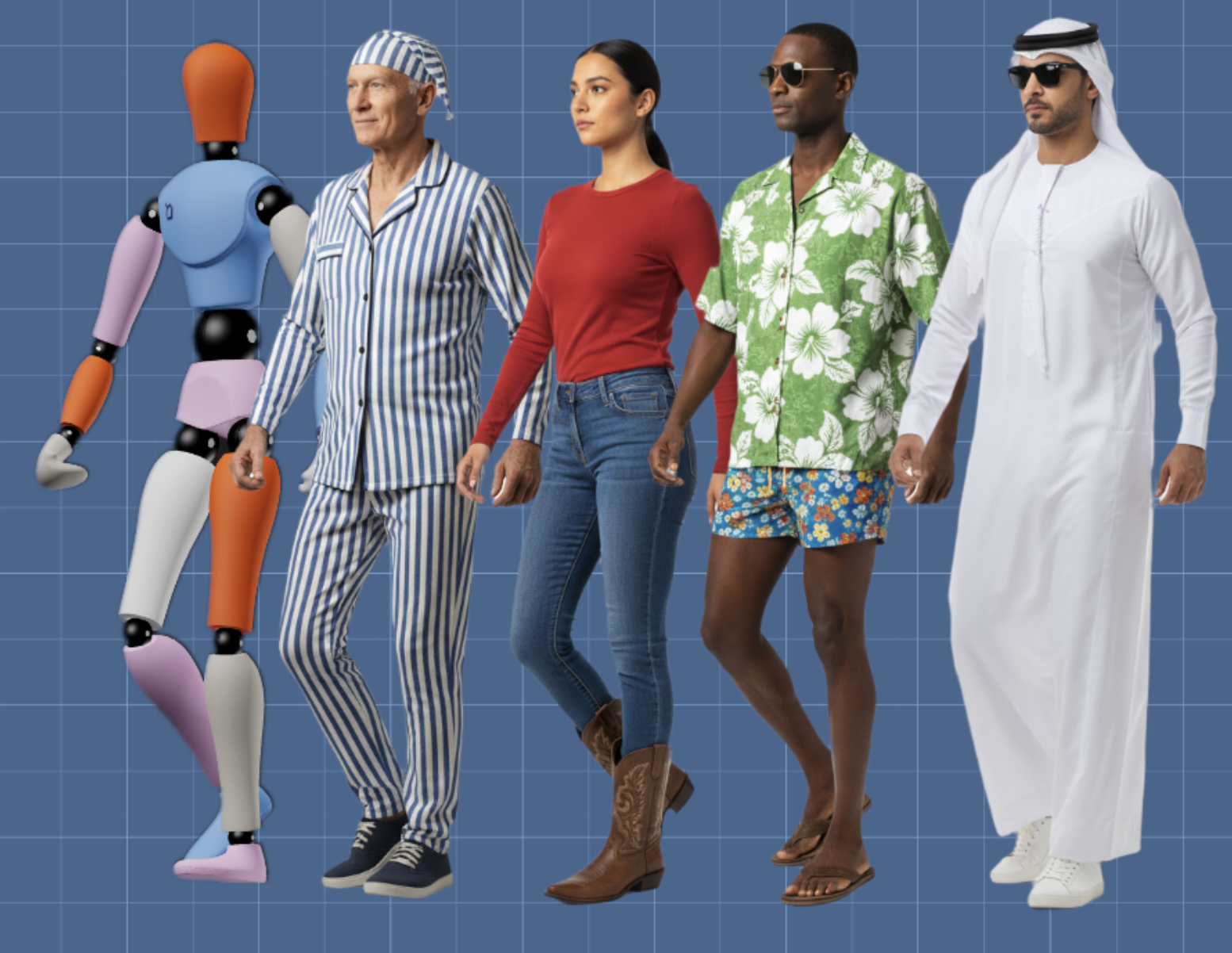
Gendo's Custom Cutout generator creates transparent-background people PNGs to brief in seconds. Control pose, rotation, ethnicity, age, sex and clothing through a 3D mannequin interface and prompt input. Each output is a high-resolution PNG with a clean alpha channel, ready to drop into the render with no further masking.
Common briefs we see from architecture studios:
- A specific cultural dress for a project in a particular region
- High-vis and PPE for construction-phase visuals
- Healthcare uniforms for hospital and clinic renders
- Period dress for heritage and conservation submissions
- Children at specific ages for school and nursery schemes
"[Generate a custom cutout person](/people-png)"
— pose, demographics and clothing to brief.
Frequently Asked Questions
Are these PNGs free?
Yes. Every cutout in the Gendo Cutout Database is free to download. No sign-up, no email gate, no watermark.
Can I use them commercially?
Yes — they are licensed for use in commercial architectural work, including client deliverables, competition entries, planning submissions and published visuals.
How do I add cutout people to a render?
Place the PNG as a layer in Photoshop (or your preferred compositor) above the rendered scene, scale against a known dimension, add a drop shadow that matches the scene's light direction, and apply a subtle colour-correction clipping mask so the figure picks up the render's colour temperature.
What is architectural entourage?
Entourage is the collective term for the people, vehicles, trees, planting and incidental objects added to an architectural render or drawing to give scale, context and life. People are the most important category.
What software supports PNG entourage?
Every major architectural and rendering tool: Photoshop, Affinity Photo, Lumion, Enscape, Twinmotion, V-Ray, Corona, SketchUp, Revit, Rhino, Archicad, 3ds Max, Blender, and any image editor that supports transparent PNGs.
What is the difference between entourage and cutout people?
Entourage is the broader category — anything added to populate a scene. Cutout people are specifically 2D PNG figures with transparent backgrounds, a subset of entourage.
How many cutout people are in the Gendo database?
236+ at launch, growing continuously. All filterable by pose, ethnicity, age, sex and camera angle.
Browse the Library
The Gendo Cutout Database is the fastest free resource for high-resolution, well-masked, demographically diverse cutout people for architectural visualisation. No sign-up, no watermark, free for commercial architectural use.
If you need a figure the library does not contain, generate a custom cutout in seconds — or explore the wider Gendo Architectural Design Canvas to see how AI rendering, iteration and post-production sit in a single private workspace built for studios.