The Top 4 AI Workflows for Architects in 2026: ChatGPT vs Gemini vs ComfyUI vs Purpose-Built Platforms

Joe Sherman · Head of Growth at Gendo
14 July 2026
# The Top 4 AI Workflows for Architects in 2026: ChatGPT vs Gemini vs ComfyUI vs Purpose-Built Platforms
Two years ago, the question architects asked about AI was "which tool makes the best renders?" In 2026, the smarter question is "which workflow should my practice actually adopt?" By now, almost every architect has generated an image with AI. The difference between practices that get real value from it and those that don't is rarely the underlying model. It's the workflow wrapped around it.
Broadly, there are four ways architects use generative AI today: general chatbots like ChatGPT, Google's Gemini and its much-discussed Nano Banana image models, self-built setups using open-source tools like ComfyUI, and purpose-built AI visualisation platforms such as Gendo. Each has genuine strengths. Each has a real cost, and not always the one printed on the pricing page.
This guide compares all four honestly, with the practical detail that matters when you're actually iterating on a design rather than making one pretty picture.
1. Purpose-Built AI Visualisation Platforms (e.g. Gendo): Best Overall for Practices
This is the workflow an increasing number of firms settle on after trying the other three: a platform built specifically for architectural visualisation, where the AI, the interface, and the workflow are designed around how architects actually work.
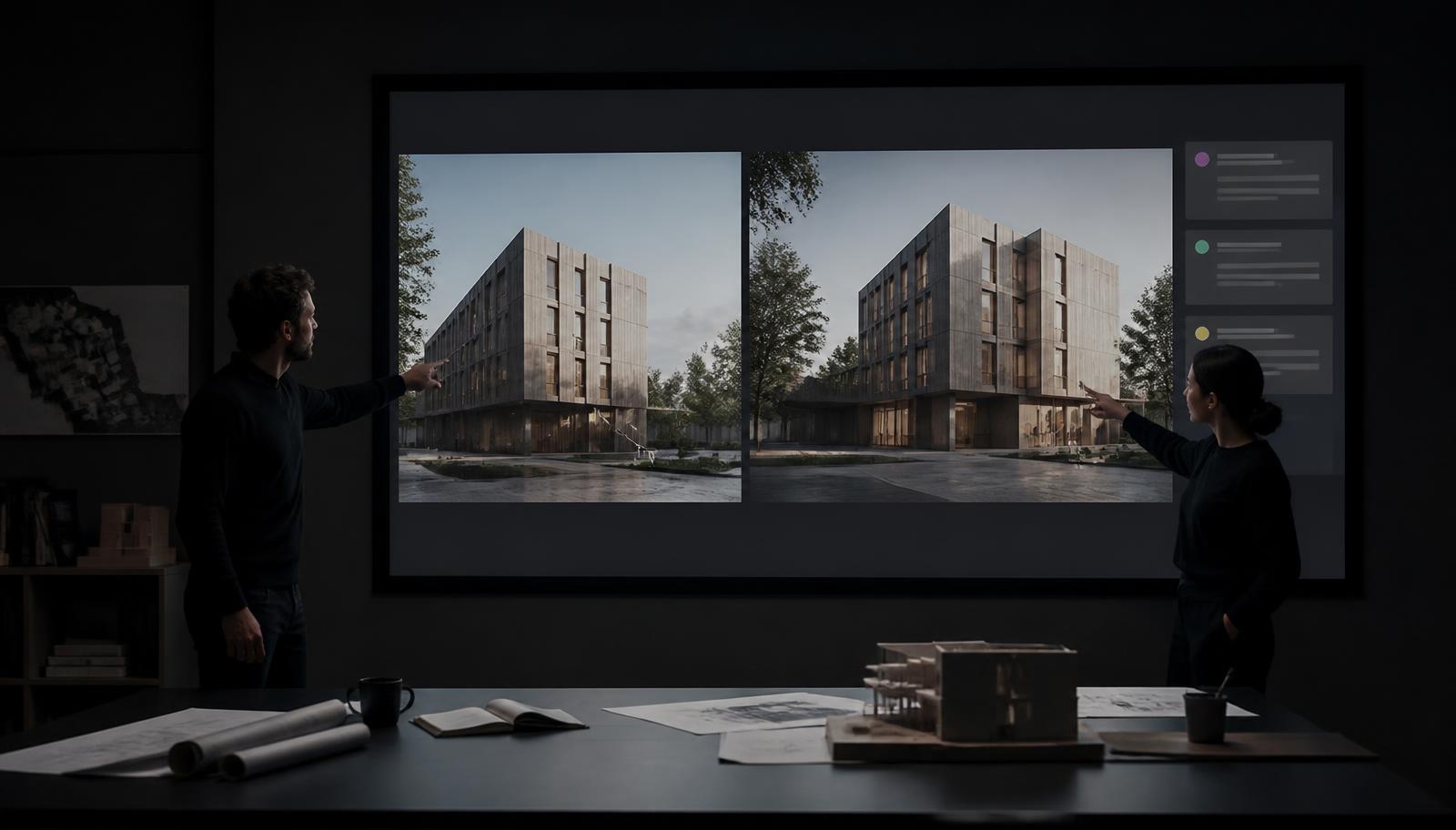
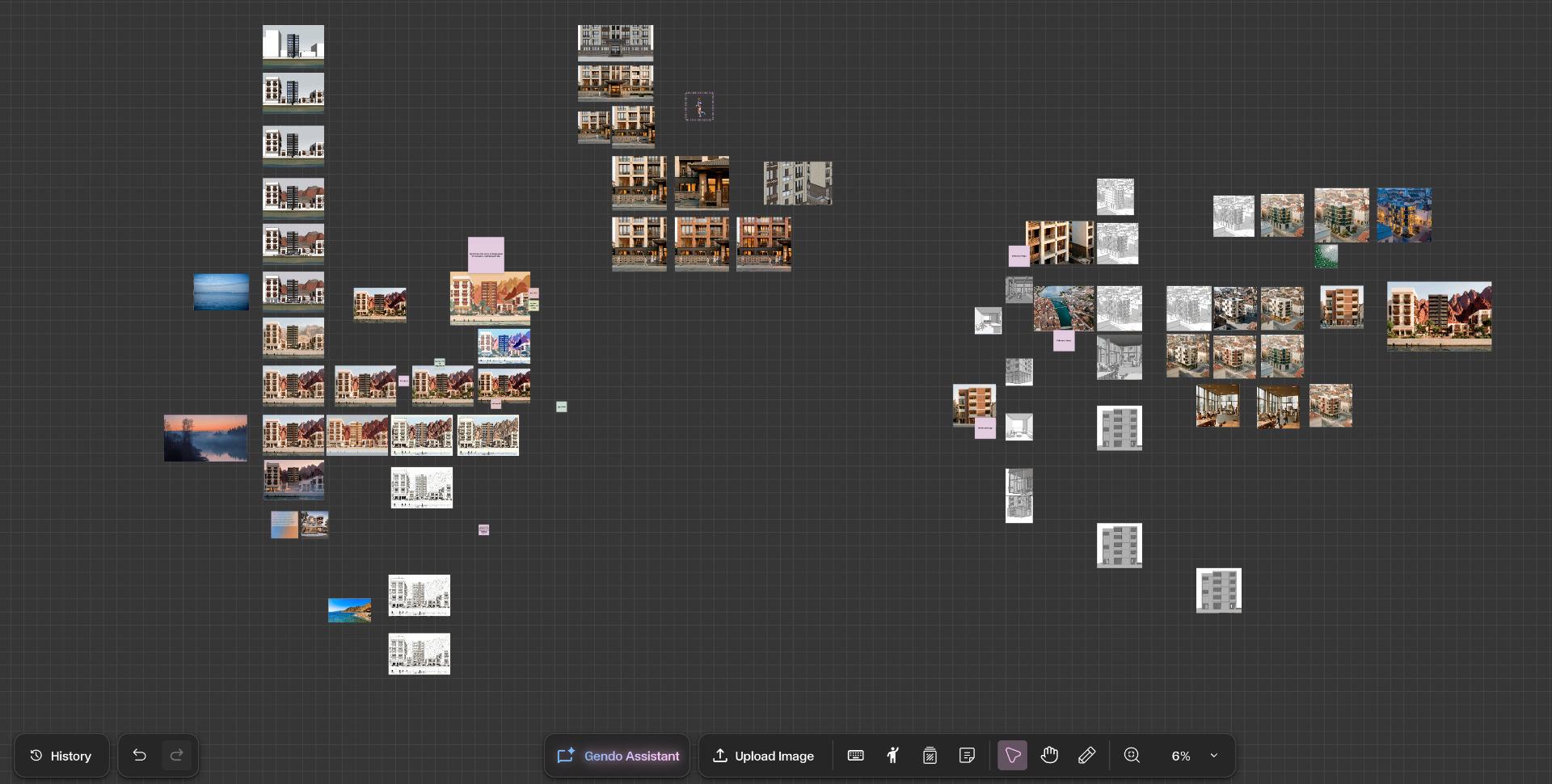
Gendo is the clearest example. It's a browser-based AI design canvas, developed in partnership with architects from practices including Zaha Hadid Architects, KPF, David Chipperfield Architects, Benoy, and ICRAVE. You bring sketches, model exports, and references onto a shared canvas, then generate, edit, compare, and refine renders in one place, with your whole team working alongside you.
Why this workflow wins for most practices:
- You always work from the source, so quality never decays. On a canvas, your original sketch or model export stays pinned. Every variation branches from it directly, rather than from the last AI output. Want the same elevation tested in brick, zinc, timber, render, and stone? That's five generations from one source image, sitting side by side for comparison, each as sharp as the first. In a chat interface, that same exercise is five separate conversations, or one long thread where each request slowly corrupts the next.
- Edits are precise because the tools are architectural. Changing a material, populating a scene, or shifting the style are dedicated tools that alter what you asked for and leave the rest of the design alone. You're not writing paragraph-long prompts pleading with a chatbot to keep the mullions where you drew them.
- The model problem is handled for you. New image models now arrive every few months. On a purpose-built platform, evaluating them, tuning them for architectural output, and integrating the best ones is someone else's full-time job. Your renders simply get better over time, with no retraining and no rebuilt setups.
- Iteration is unlimited, on principle. Design is a loop: generate options, compare, refine, present, respond to feedback, go again. Gendo offers unlimited generations rather than credits, so exploring a tenth direction costs nothing but curiosity.
- The whole team can use it on day one. If a tool needs a specialist to operate it, it isn't a firm-wide capability, it's a bottleneck. A browser-based canvas needs no installation, no hardware, and minimal training, and free viewer seats mean clients can review work without another licence.
- Professional guardrails come as standard. Gendo's paid plans are private by default, with full IP ownership, GDPR-compliant EU hosting, and a commitment that client work is never used to train AI models. Try getting all of that from a consumer chatbot subscription.
Fair limitations: it's a visualisation workspace rather than a modelling tool: you can't draw plans or model in 3D inside it, and it works best from a base image where some design decisions already exist.
Best for: Practices of any size that want AI visualisation as a reliable, shared, everyday capability rather than an experiment.
2. Google Gemini and Nano Banana: Best General AI for One-Off Image Generations/Edits
Google's Nano Banana models (the nickname for Gemini's image generation family) have earned real affection among architects, and deservedly so. Their party trick is conversational editing that keeps most of the image intact: "swap the cladding to charred timber," "make it dusk," "remove the cars," and the change happens in seconds while the building stays recognisably yours.
Genuine strengths: Exceptional for quick material tests, object removal, and mood changes. Fast, inexpensive, and accessible through the Gemini app or Google AI Studio. For a single image needing a single change, it's often the quickest tool on this list.
Where it falls short as a workflow: The trouble starts the moment one image becomes a design process. Three things happen, and every architect who has pushed these tools hard will recognise them:
- Precision editing hits a ceiling. A broad instruction like "make this photorealistic" works beautifully, because the model is free to interpret. But "keep the fenestration exactly as drawn and change only the ground-floor glazing to bronze frames" is a different story. The model regenerates rather than edits, so brick coursing shifts, window proportions wander, and the roofline moves just enough for a client to notice. Architects report needing constant re-prompting to hold a design steady, especially across different views of the same building.
- Quality decays with every round. Each edit works from the previous AI output, not from your original drawing. It's the photocopy-of-a-photocopy problem: by the fourth or fifth iteration, edges soften, textures smear, and the model starts inventing details to fill in what it has lost. Precisely when you're converging on the final image, the image is getting worse.
- Context doesn't carry. The chat remembers your conversation loosely, not your design precisely. Ask for the same scheme in five styles and you either run five parallel chats, with no way to compare results side by side except screenshotting them into a slide deck, or you run one long thread where the fifth request inherits the drift of the previous four. Neither is a workspace. There's also no project structure, no version history, and consumer-app data terms that deserve a careful read before client work goes in.
Best for: Individual architects making quick, one-off edits, and anyone who wants to feel what state-of-the-art image editing can do.
3. ChatGPT: Best Entry Point and All-Round Assistant
ChatGPT is where most architects first touched AI, and it remains genuinely useful. Its image generation is capable, and its real superpower is versatility: the same tool that sketches a concept image can draft the fee letter, summarise the planning policy, and structure the client presentation.
Genuine strengths: Zero learning curve, one subscription for a hundred tasks, and solid results for mood imagery, early massing ideas, and visual storytelling. For the text-heavy work around a project, nothing else on this list comes close.
Where it falls short as a workflow: Everything said about chat interfaces above applies here, usually more strongly. Image edits tend to regenerate the whole picture, so geometry drifts even more readily, and holding your actual building steady through rounds of refinement is close to impossible. The conversation format compounds it: your design decisions live buried in a scrolling thread, earlier context quietly falls away as the chat grows, and comparing alternatives means jumping between windows. Treat its images as concept references, not representations of your design.
Best for: Every architect, honestly, as a general assistant. Just not as your rendering workflow.
4. DIY ComfyUI Setups: Best for Control, at a Price Most Firms Underestimate
ComfyUI is a free, open-source tool where you build your own image-generation workflow by connecting visual blocks: one for the AI model, one for your sketch, one for the controls that force the AI to respect your line drawing, and so on. In skilled hands it offers the deepest control of any workflow here, and it genuinely solves the precision problems that chat interfaces have.
Genuine strengths: Total flexibility, no per-image costs once you're running, complete privacy on your own hardware, and workflows you can save and share across a team. For firms with computational design specialists, it's also a superb way to understand how this technology actually works.
Where it falls short as a workflow: "Free" is doing a lot of heavy lifting. Professional-quality architectural output needs a serious graphics card, realistically £1,500 to £4,000 for the card alone and £5,000 or more for the workstation, plus tens of gigabytes of model files before you generate a single image. And note what "free" actually covers: open-source models running on your own machine. The frontier closed models everyone is excited about connect to ComfyUI through paid API calls, billed per image, so the moment you want the best engines inside your workflow, you're metered after all. There's a quieter cost too: local generation runs on the same workstation you need for modelling and documentation, so every render competes with your actual production work.
Then comes the part most firms underestimate: keeping up. New models, updated components, and breaking changes arrive constantly. One industry comparison put it plainly, describing a solo architect who spent weeks learning the system and thousands on hardware, and still had to keep updating workflows every week. In practice, evaluating each new model, maintaining the setup, and training architects to use it is an ongoing job for a person or a small team. That's a real salary attached to a "free" tool, and it's time your architects aren't spending on architecture.
What Moving Away Looks Like: A Real Example
Porto-based solo architect Pedro Martins ran ComfyUI for two years before moving his practice onto Gendo, and his reasons are instructive because raw capability was never the problem. The workflow was. With so many images generated per project, the node interface buried the design history: too many nodes, too much going on, and no clear view of how decisions had evolved. Generation also ran on the same local machine he needed for 3D modelling and BIM documentation, blocking his production work every time he rendered.
"Gendo seemed much easier to oversee the process of the content generated," he says of the switch, calling that overview "essential for project development when you have so many images to generate."
Generation moved to Gendo's servers, freeing his hardware, and his clients now enter the canvas and explore images directly, with no PDF assembly between milestones.
"Having a canvas where the client can participate in the process and build on what I've proposed is amazing."
His advice to other architects is blunt: "I'd recommend stopping all standard rendering tasks. Dedicate your time fully to 3D modelling and BIM documentation, and use Gendo to generate and manage all project visualisations."
Best for: Larger firms with dedicated computational design teams, and technically curious architects who enjoy the tinkering as much as the output.
Comparison at a Glance
| Workflow | Genuinely good at | True cost | Precision editing | Iterating without quality loss | Built for teams? |
|---|---|---|---|---|---|
| Purpose-built platform (Gendo) | End-to-end visualisation: iterate, compare, present | Subscription (free tier; Studio from £66/mo annual) | Yes, dedicated architectural tools | Yes, every version branches from your source | Yes, shared real-time canvas |
| Gemini / Nano Banana | Fast conversational image edits | Low subscription or free tiers | Partial; drifts on repeated edits and views | No, decays over iterations | No |
| ChatGPT | Ideation plus everything else around a project | Low subscription | No; edits regenerate the whole image | No | No |
| DIY ComfyUI | Maximum control and customisation | £5,000+ hardware, ongoing specialist time, per-image API fees for frontier models | Yes, with expert setup | Yes, with expert setup | Only with dedicated support |
How to Choose
The honest pattern playing out across the industry goes like this. Practices start with ChatGPT or Gemini, because everyone already has them, and get genuinely excited by the first results. Then a real project arrives, with a client who wants the same elevation in three materials by Thursday, and the chat workflow starts to creak: the edits won't stay precise, the fifth iteration looks worse than the second, and the options end up screenshotted into a deck just to be compared. The ambitious firms then attempt a ComfyUI setup in search of control, and discover the real product isn't the software, it's the maintenance. And then, increasingly, they consolidate onto a purpose-built platform, exactly as Pedro Martins did after two years of running his own setup, because it delivers the precision and the iteration without the upkeep, and because it's the only option the whole studio, and even the client, can actually share.
So a simple rule of thumb: keep ChatGPT for everything around the project, enjoy Nano Banana for quick one-off edits, only build a ComfyUI setup if you have the team to feed it, and when you want AI visualisation to be a dependable part of how your practice designs, communicates, and wins work, choose a platform built for exactly that.
For architects in 2026, that platform is Gendo: unlimited rendering, precise architectural editing tools, and a collaborative canvas where five style tests sit side by side instead of in five chat windows. There's a free tier, so the cheapest way to test this article's conclusion is to drop in one of your own sketches and see.
Ready to see it in practice? Explore the Gendo Architectural Design Canvas or compare Gendo plans to find the right fit for your studio.