Top 10 AI Rendering Software for Architects in 2026

Joe Sherman · Head of Growth at Gendo
11 June 2026
# Top 10 AI Rendering Software for Architects in 2026
AI rendering has moved from novelty to standard practice in architecture. Industry surveys now put AI adoption among architects at well over 40%, with concept imagery the most common use case, and the direction of travel is clear. What used to take weeks and a specialist visualisation team can now happen in minutes: a sketch becomes a photorealistic image, a material palette is swapped mid-meeting, and three design options sit side by side before the client has finished their coffee.
In short, AI rendering has changed the game for architects. But with so many tools now on the market, choosing the right one makes a huge difference to your experience, and to the quality of the work you put in front of clients.
This guide compares the ten best AI rendering tools for architecture in June 2026, based on current product capabilities, pricing, and what each tool genuinely does best. Every tool here is good at something; the goal is to help you find the one that fits how you actually work.
1. Gendo: Best Overall, the Collaborative AI Design Canvas for Architects
Best for: Architecture and design studios that want a dedicated, collaborative AI visualisation workspace.
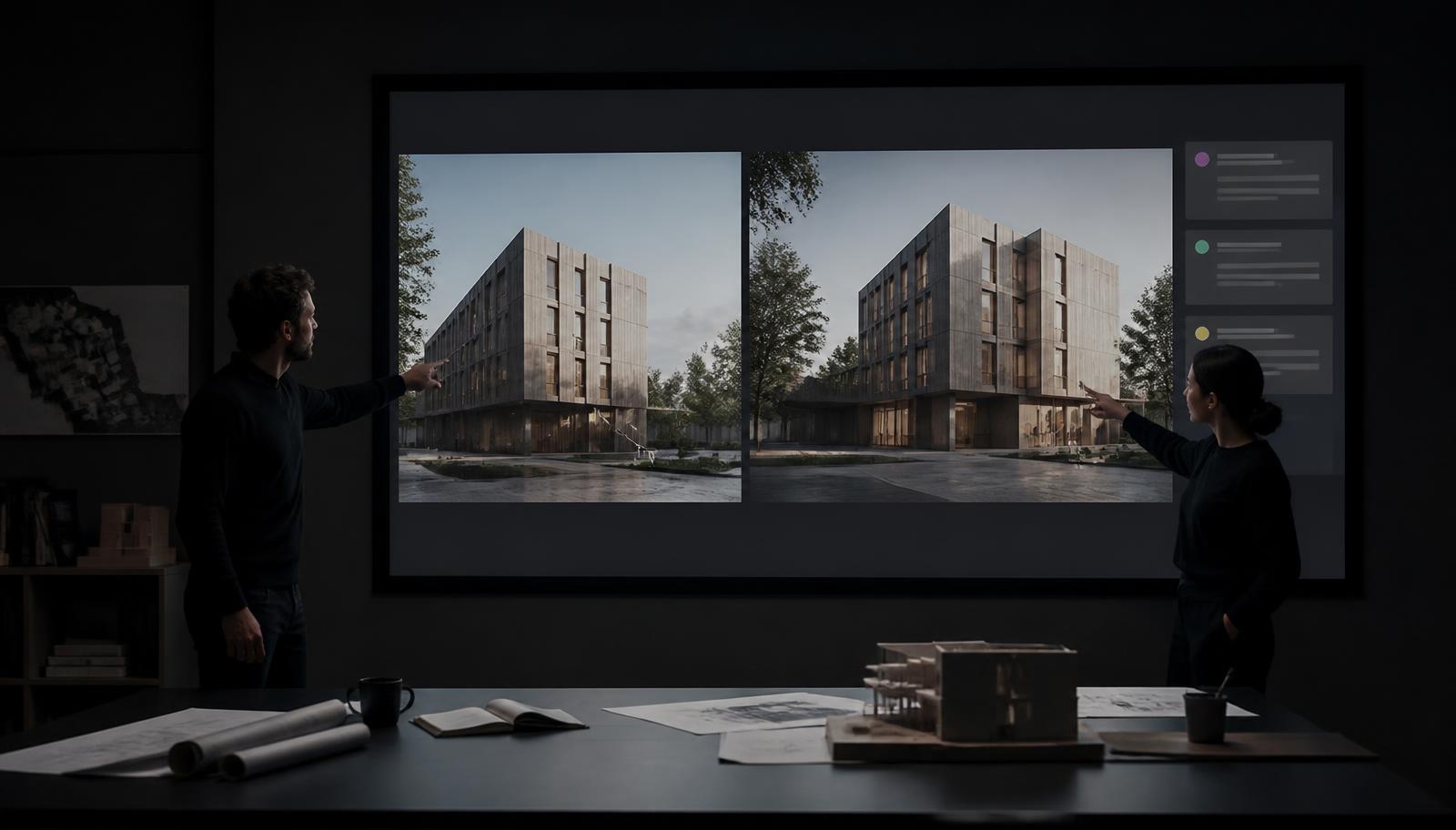
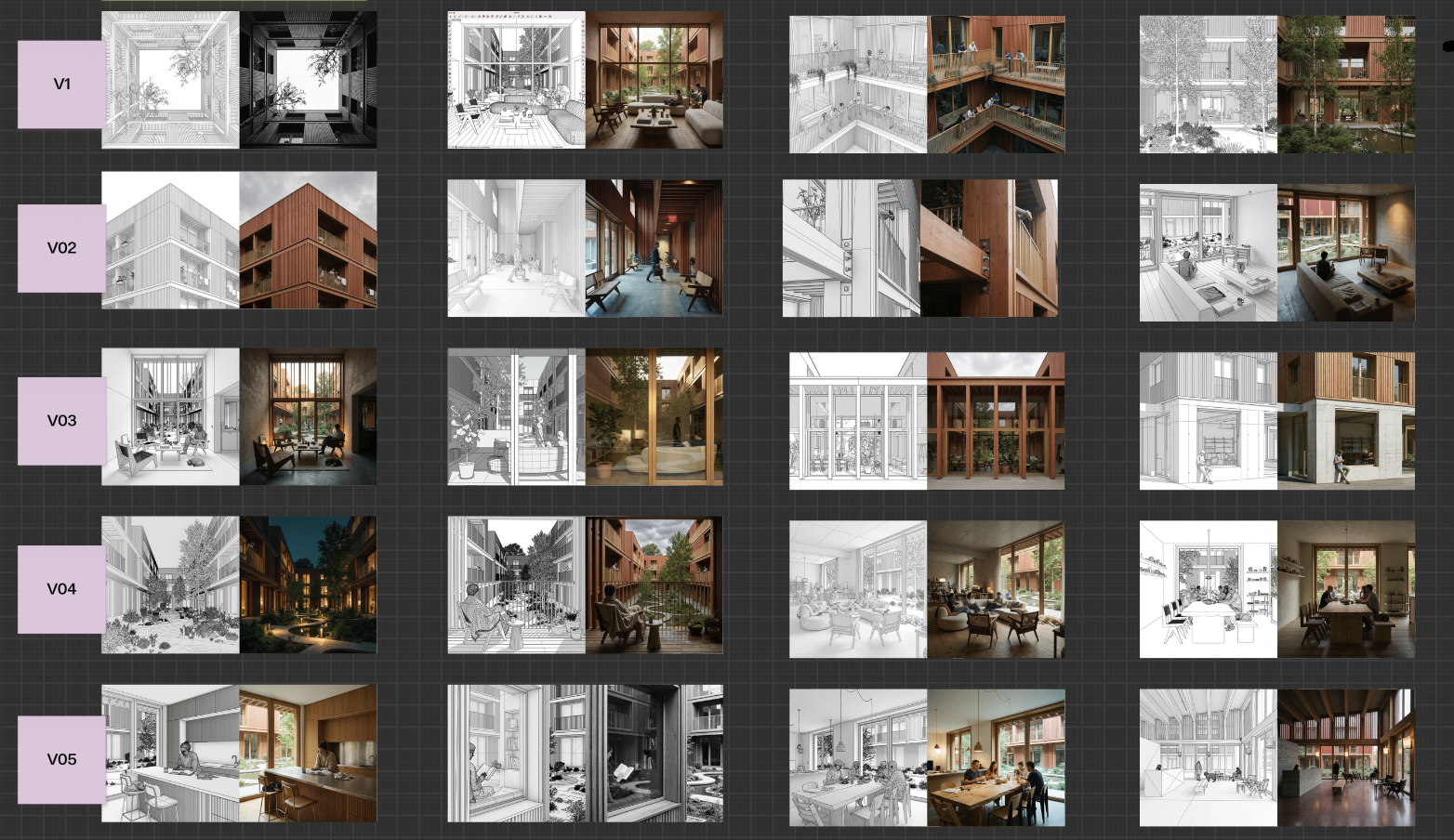
Gendo is a browser-based AI rendering and visualisation platform built specifically for architects and designers, and in 2026 it stands out because it has evolved beyond single-image generation into something more useful: a collaborative, multi-asset AI design canvas. Rather than uploading one sketch and downloading one render, you work on a living canvas where sketches, SketchUp or Revit exports, reference images, and generated renders all sit together, and where your whole team can generate, edit, compare, annotate, and refine in the same space. This becomes a space to work on and hold your project information, and every design iteration across that process.
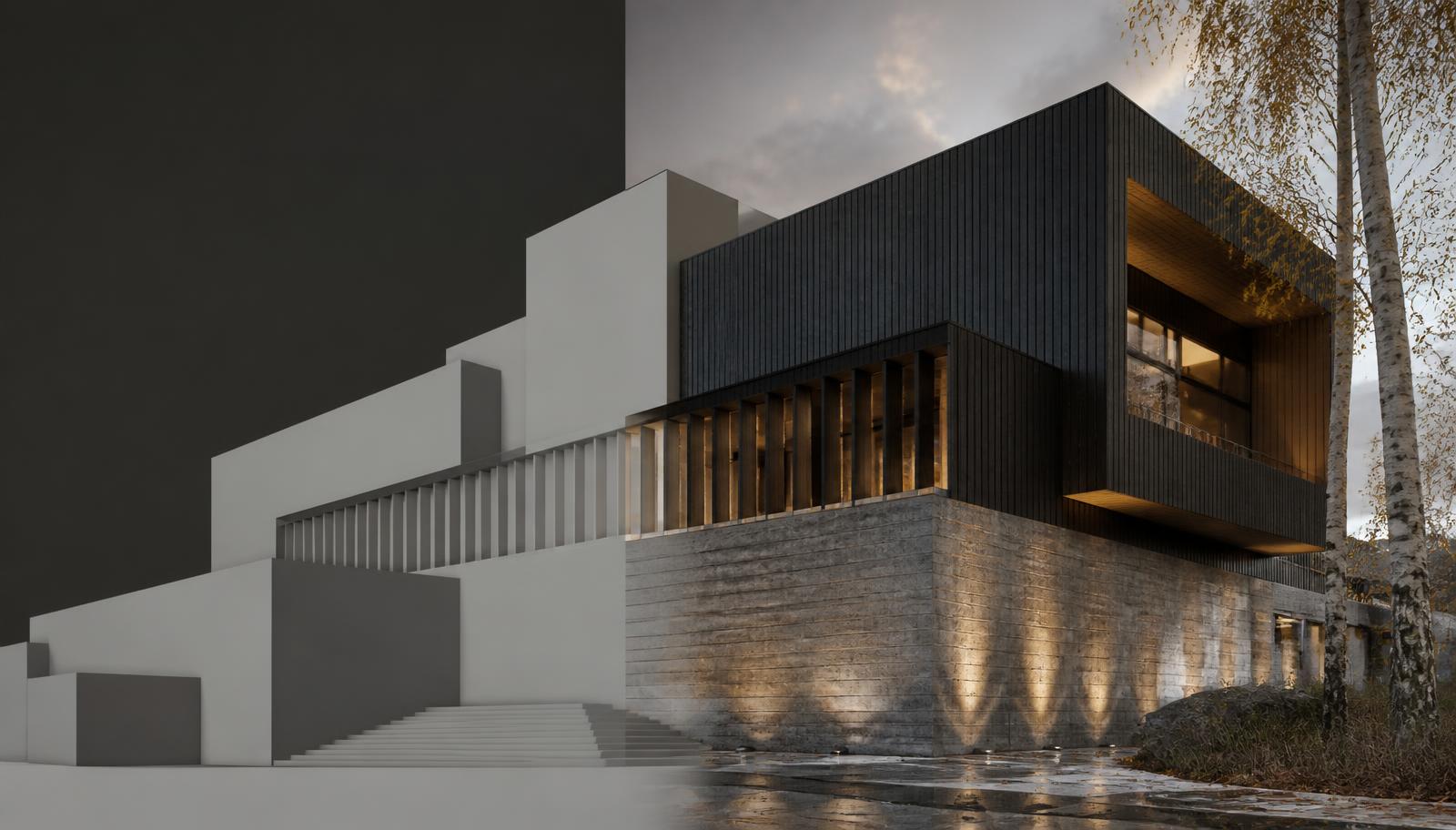
Gendo was developed in partnership with architects from top global practices including Zaha Hadid Architects, KPF, David Chipperfield Architects, Benoy, and ICRAVE, and today thousands of designers at many of the world's leading firms use Gendo to render and collaborate. That heritage shows in the toolset, which maps directly onto how architects actually iterate: Design to Image converts sketches and model exports into photorealistic renders; Material Change swaps finishes with a single prompt; Style Transfer shifts the aesthetic while preserving design fidelity; Populate adds people and life to scenes; and Enhance and upscaling tools push images to presentation quality.
Main strengths:
- Unlimited rendering, on principle. Gendo doesn't meter your creativity with credits. Every plan, including the free tier, offers unlimited generations, so you can explore ten directions, regenerate, compare, and refine without watching a counter tick down. For a process as iterative as architectural design, this changes how freely you work.
- A full visualisation workspace, not a single tool. Most AI workflows mean juggling one tool for sketch-to-render, another for editing, another for upscaling, and a folder of exports in between. Gendo puts the entire journey on one canvas: concept exploration, design iteration, material and style edits, enhancement, and client presentation. That saves a massive amount of time otherwise lost hopping between tools.
- The collaborative canvas. Multiple team members can work on the same canvas in real time, comment on options, and align on a direction, turning AI rendering from a solo activity into a shared design conversation. Free viewer seats mean clients and stakeholders can review work without extra cost.
- Built for architectural fidelity. Gendo's tools are trained around architectural logic, so renders respect your design intent, generating from your sketches and model exports rather than reinventing the building, with editing tools that change only what you ask them to.
- Privacy by design and enterprise-grade security. Paid plans are private by default, with full IP ownership, GDPR-compliant EU hosting, and a commitment that designs on paid plans are never used to train AI models. For studios working under NDAs and handling unreleased designs, this isn't a nice-to-have. It's essential, and Gendo treats it that way.
- Accessible pricing. A free plan offers unlimited watermarked generations on a single canvas, so you can evaluate it properly. The Studio plan is £79/month (£66/month billed annually) and includes unlimited projects, commercial licensing, 4x upscaling, and multiple seats. Enterprise plans add SSO, custom-trained models, and dedicated support.
- Ease of use. The AI noise is abstracted away behind a tailored interface, so you can be confident you're leveraging the best AI tech out there, while keeping your focus on design decisions, not data pipelines.
- CAD agnostic. While Gendo currently doesn't have any direct CAD integrations, it does take any PNG or JPG of your design. So that means you don't have to change anything about the way you currently work. Just take a screenshot, photo or render and upload that to start using the platform.
- Browser based. You don't need to install anything locally, or have a very strong laptop or computer, as the work is done in the cloud.
Fair limitations: Gendo is a visualisation workspace, not a modelling or drafting tool: you can't model in 3D inside the platform, draw plans and sections, or produce dimension-accurate construction documentation. And it works best when you start from a base image, such as a sketch, model export, or photo, where some design decisions have already been made; it's a tool for developing and communicating a design, not generating one from a blank page. This also keeps you, the designer, firmly in control of the important decisions, not replacing design with AI, but augmenting yourself with it.
Most suitable for: Architects, interior designers, and studios of any size who want speed, control, and collaboration in one place, particularly teams that iterate visually with clients and want a single AI design canvas for the journey from first sketch to approved presentation image.
Explore the Gendo Architectural Design Canvas to see how a collaborative AI rendering workspace fits into studio practice.
2. Veras: Best for BIM-Integrated AI Rendering
Best for: Architects who want AI rendering inside their existing CAD/BIM software.
Veras (by EvolveLAB, now part of the Chaos ecosystem) is the most deeply integrated AI architecture rendering software on the market, with native plugins for Revit, SketchUp, Rhino, Archicad, Vectorworks, and Autodesk Forma, plus a web app. It captures your current viewport and renders it with AI while respecting your modelled geometry.
Main strengths: The geometry and material override controls are excellent: you decide exactly how far the AI can depart from your model, which makes Veras genuinely useful in design development rather than just concepting. Recent versions have significantly improved prompt adherence and output quality, and it's also available within Enscape subscriptions.
Fair limitations: It's a per-viewport image tool rather than a collaborative workspace, the interface is functional rather than modern, and subscription pricing typically lands around $30–60 per named user per month, which adds up across a team.
Most suitable for: Revit, SketchUp, and Rhino power users who want AI iteration without ever leaving their modelling environment.
3. D5 Render: Best Hybrid of Real-Time and AI Rendering
Best for: Studios that want traditional real-time ray tracing with serious AI assistance built in.
D5 Render has become one of the most popular real-time renderers in architecture, and its AI toolkit, which includes atmosphere matching, style transfer, AI texture upscaling, and enhancement features, is arguably the strongest among real-time engines in 2026.
Main strengths: Path-traced output quality is excellent, the asset library is huge, and the AI features genuinely reduce setup time (drag in a single reference photo and D5 can match its lighting atmosphere in seconds). A free Community edition exists for non-commercial use, and Pro subscriptions are competitively priced; third-party pricing guides put Pro at roughly $38/month billed annually.
Fair limitations: It's local and Windows-only and demands capable graphics hardware, which rules out Mac-based studios and lighter laptops. It's also a full 3D scene workflow, with more setup than sketch-based AI tools. It also requires more setup to get your 3D model in place, textured and lit.
Most suitable for: Firms producing polished stills and animations from complete 3D models, with the hardware to match.
4. Lumion: Best for Animations and Environment-Rich Visuals
Best for: Cinematic walkthroughs, landscape-heavy projects, and animation deliverables.
Lumion remains an industry standard for architectural visualisation, with LiveSync plugins for SketchUp, Revit, Rhino, Archicad, and more. Its 2026 releases have improved real-time material syncing and continued to fold AI-assisted features into a famously approachable workflow.
Main strengths: A vast, mature asset and environment library, best-in-class ease of use for animation, and a support ecosystem staffed by people who understand architecture. For exterior and landscape projects, its environmental effects are hard to beat.
Fair limitations: It demands capable hardware, sits at the premium end of the pricing spectrum, and its AI capabilities are enhancements to a traditional pipeline rather than a generative-first workflow.
Most suitable for: Practices delivering animated walkthroughs and large exterior visualisations as core client deliverables.
5. mnml.ai: Best for Fast Single-Image Rendering
Best for: Fast single-image sketch-to-render and render enhancement.
mnml.ai is a web-based AI rendering platform offering one-click sketch to render, interior/exterior/landscape modes, 40+ style presets, a design variation generator, masterplan tools, AI video, and a Render Enhancer that can upscale rough renders towards print quality.
Main strengths: Breadth for the price. The free tier lets you test it, paid tiers are credit-based and inexpensive, and the Render Enhancer is a clever way to upgrade quick draft renders from Lumion, Enscape, or V-Ray. It works happily with exports from SketchUp, Revit, Blender, and 3ds Max.
Fair limitations: Credit-based pricing means heavy users need to watch their allowance, it's a single-user tool rather than a collaborative workspace, and fine geometric control trails the BIM-integrated options.
Most suitable for: Freelancers, small studios, and students who want maximum AI tooling per pound spent.
6. PromeAI: Best for Versatile Sketch Rendering Across Disciplines
Best for: Designers who work across architecture, interiors, and product design.
PromeAI is a broad creative AI platform with a particularly strong sketch rendering engine. Upload a hand-drawn floor plan, a SketchUp wireframe, or a rough line drawing, and it produces a photorealistic image in seconds, with a wide range of style presets from Scandinavian to industrial.
Main strengths: Genuinely fast and intuitive sketch-to-render, plus a deep toolbox: background replacement, creative fusion, outpainting, image variations, and image-to-video. The Standard plan at around $29/month (annual) is reasonable for the breadth on offer.
Fair limitations: It's a generalist platform: some tools are stronger than others, and it lacks architecture-specific collaboration, BIM integration, or studio governance features.
Most suitable for: Multidisciplinary designers and visualisers who value variety and speed over architectural workflow depth.
7. Midjourney: Best for Concept Art and Mood Boards
Best for: Early-stage ideation, atmosphere, and visual storytelling.
Midjourney isn't architecture software, but it remains the most visually striking text-to-image generator available, and architects use it heavily for concept imagery, massing moods, material palettes, and competition-stage storytelling.
Main strengths: Unmatched aesthetic quality for the price (plans from $10/month), and a fast way to gauge a client's or investor's reaction to a direction before any modelling begins.
Fair limitations: No BIM integration, no real geometric control, and a tendency to hallucinate structure. Midjourney will give you a beautiful building, but not necessarily *your* building. Outputs are best treated as references, not design representations.
Most suitable for: Concept designers and anyone building mood boards or early visual narratives.
8. LookX: Architecture-Trained AI Generator
LookX is an architecture-trained AI generator that's great for quick generations. It offers sketch and text-to-image modes with content and composition controls, plus SketchUp and Rhino plugins, and custom model training is available for firms that want to go further.
Main strengths: Because it's trained on architectural geometry and logic, outputs respect structure better than generic generators, making it a fast way to spin up architecture-aware concept images. Pricing is accessible, starting around $20/month with a free tier.
Fair limitations: It's geared towards quick single-image generation rather than a full visualisation workflow, and the community and documentation ecosystem is thinner than that of the bigger players.
Most suitable for: Architects and designers who want quick, architecture-aware AI generations at an accessible price.
9. Visoid: Best for Simple, Hardware-Free Model Visualisation
Best for: Quick, clean renders from 3D models without rendering hardware or expertise.
Visoid is a cloud-based AI visualisation tool that turns 3D model exports into refined architectural images in minutes. Upload or connect your model, choose lighting and style, and the AI does the rest while preserving your geometry.
Main strengths: Extremely low friction: no GPU, no scene setup, no rendering expertise required. The free plan includes a monthly render allowance, and educational discounts make it accessible for students.
Fair limitations: It's built around one-off renders rather than an iterative visualisation workflow, offers less granular creative control than canvas-based or BIM-integrated tools, and isn't built around team collaboration.
Most suitable for: Small practices and solo architects who want presentable images from their models with minimal effort.
10. xFigura: Best for Exploring Multiple AI Models
Best for: More technical architects who want to experiment with, and iterate directly across, different AI models.
xFigura is a cloud-based AI ideation platform built by architects for architects. It's structured around a node-based infinite canvas where users can experiment with a wide range of AI models, with more than 45 engines for image, video, and 3D generation, covering sketch-to-image, text-to-image, image-to-3D, upscaling, inpainting, and lightweight 3D massing.
Main strengths: Genuine model flexibility: you can pick the engine that suits each task, or compare how different models interpret the same sketch, which makes it a fantastic sandbox for ideation. Real-time collaboration on a shared canvas, 2D and 3D workflows side by side, Rhino integration, and enterprise features like SSO and a centrally managed credit pool round it out nicely.
Fair limitations: Generation is credit-based, so heavy iteration draws down the pool, and the plugin side currently centres on Rhino, so Revit-led practices will use it as a standalone tool. With so many models on tap, results vary by engine and there's a learning curve in discovering which one suits each task. Requires time and dedication to test and trial out which models are useful for your workflow, and puts the onus on users to keep up with the changing AI landscape and model choices.
Most suitable for: Technically minded architects and Rhino-centric teams who want hands-on control over which models they use and how they iterate with them.
Comparison Table: AI Rendering Tools for Architecture in 2026
| Tool | Type | Best For | Collaboration | BIM/CAD Integration | Starting Price |
|---|---|---|---|---|---|
| Gendo | Collaborative AI project-based design canvas (browser) | Full visualisation workflow: iterate, compare, present | Real-time multi-user canvas, free viewer seats | Works from sketches & model exports | Free; Studio from £66/mo (annual) |
| Veras | AI plugin + web app | AI rendering inside BIM/CAD | Single-user | Revit, SketchUp, Rhino, Archicad, Vectorworks, Forma | ~$30–60/mo |
| D5 Render | Real-time renderer + AI tools | Hybrid real-time + AI stills & animation | Team plan available | SketchUp, Revit, Rhino, Blender, 3ds Max sync | Free Community; Pro ~$38/mo |
| Lumion | Real-time renderer | Animations & environment-rich visuals | Single-user focus | LiveSync for major CAD/BIM tools | Premium tier |
| mnml.ai | Web AI toolkit | Fast single-image sketch-to-render + enhancement | Single-user | Works from exports | Free; paid credit tiers |
| PromeAI | Web AI platform | Versatile multi-discipline sketch rendering | Single-user | Works from sketches/exports | Free; ~$29/mo annual |
| Midjourney | Text-to-image generator | Concept art & mood boards | Community-based | None | From $10/mo |
| LookX | Architecture-trained AI platform | Quick architecture-aware generations | Shared gallery | SketchUp, Rhino plugins | Free tier; ~$20/mo |
| Visoid | Cloud AI visualiser | Simple hardware-free model renders | Single-user | Model upload/connect | Free plan; paid tiers |
| xFigura | Multi-model AI canvas | Technical depth, exploring 45+ AI models in one place | Real-time shared canvas | Rhino plugin | Credit-based plans |
Pricing accurate as of mid-2026; check official sites for current plans.
How to Choose the Right AI Rendering Tool for Your Practice
The honest answer is that the "best" AI tools for architects depend on how you work and what you need out of them. A few practical rules of thumb:
If you're focused on the quality of the final output, work iteratively, and don't want to think about credits, choose Gendo. Architectural design is iteration: testing options, refining, comparing, going again. Gendo is built for exactly that, a workflow-based AI design canvas with unlimited generations, so you can concentrate on getting the image right rather than rationing your attempts.
If you just need a one-off image generator, Visoid or mnml.ai will serve you well; both are quick, simple, and inexpensive ways to turn a model export or sketch into a presentable render.
If you're curious how different AI models actually produce different results, try xFigura. Its node-based canvas lets you run the same idea through dozens of engines and compare what comes back, which more technical architects will enjoy.
If your day lives inside Revit, SketchUp, or Rhino, Veras integrates deeply into BIM workflows, while Midjourney and PromeAI remain great for very early mood and concept exploration before a design firms up.
And if multiple people or teams need to work together? Then the choice is obvious: Gendo is the one platform built as a shared workspace, where faster iteration, real-time collaboration, and best-in-class output come together in a single canvas.
Conclusion: Why Gendo Is the Best AI Rendering Software for Architects in 2026
Every tool on this list earns its place. Veras is unbeatable inside BIM. D5 and Lumion remain the standard for animation. Midjourney is still the fastest route to a beautiful concept image. But if you're choosing one AI architectural visualisation platform to anchor your practice's workflow in 2026, Gendo is the strongest overall choice, and it's because of what it is, not just what it generates.
Most AI rendering tools answer a narrow question: "Can you turn this input into a nice image?" Gendo answers the question architects actually face: "How do we explore, refine, agree on, and present a design, faster?" The collaborative AI canvas turns rendering from a one-way output into a shared design process. Sketches, model exports, references, and generated options live side by side; the whole team can iterate in parallel; clients can view and respond through free viewer seats; and the path from first sketch to approved image happens in a single, private, NDA-safe workspace.
Add architecture-specific tooling built with practices like Zaha Hadid Architects and KPF, transparent studio-friendly pricing with a genuinely useful free tier, and a privacy posture that takes professional confidentiality seriously, and Gendo stands apart as the dedicated AI rendering canvas for architects who care about speed, control, collaboration, and design iteration in equal measure. Whilst actually delivering buildings through stages 0–4, concept to developed design and planning applications.
Try the free plan with your own sketch; the fastest way to judge any sketch-to-render AI tool is to see what it does with your actual work.
Ready to see it in practice? Explore the Gendo Architectural Design Canvas or compare Gendo plans to find the right fit for your studio.