Why We Rebuilt the Gendo Canvas
George Proud · Founder at Gendo
16 March 2026
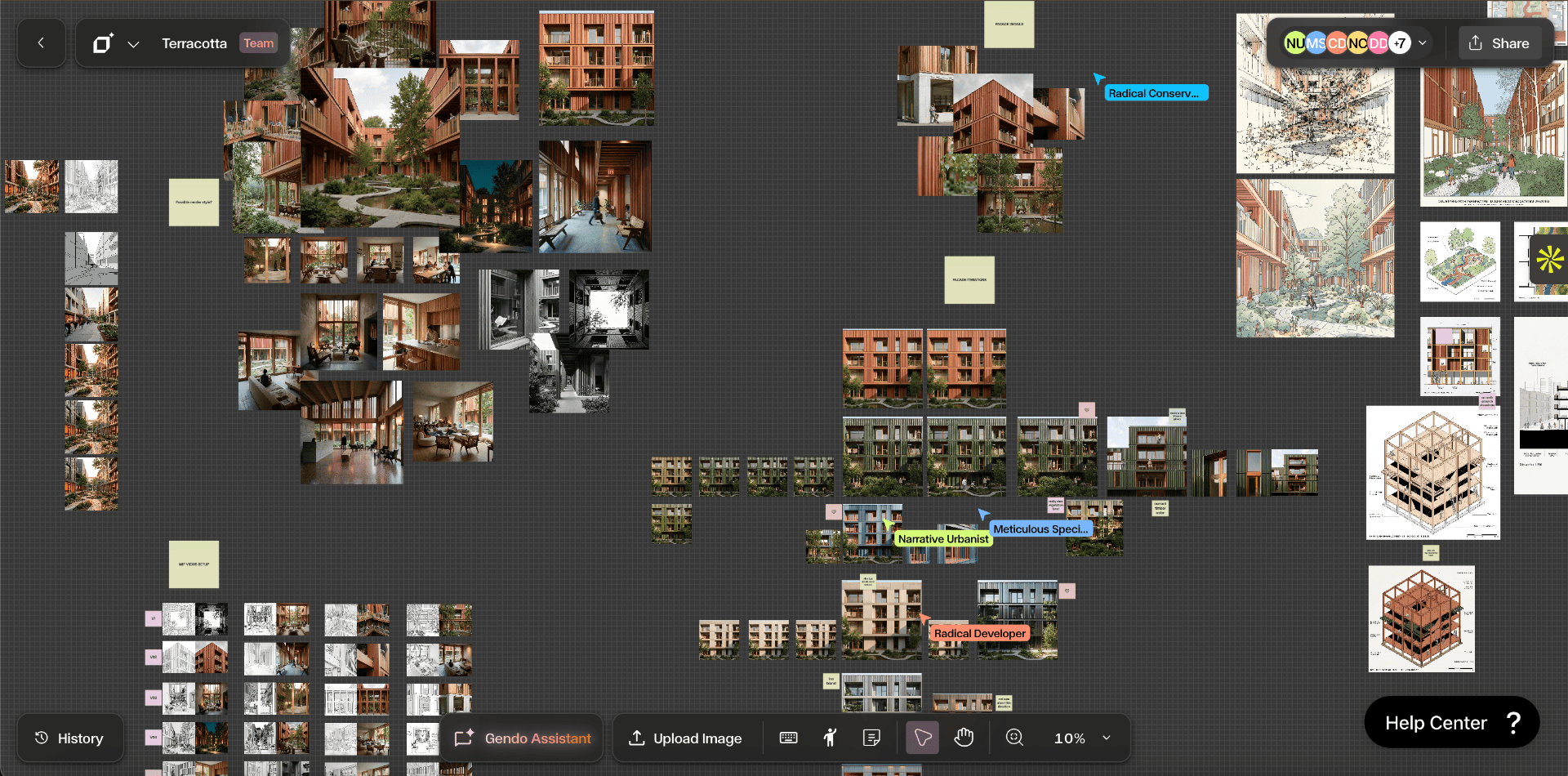
When we first launched Gendo, the goal was straightforward.
Give architects and designers a way to turn early ideas into compelling visuals in minutes instead of hours.
Over the past year, thousands of architects have used Gendo across concept design, competitions, planning submissions, and client presentations. Watching how people actually work with the platform has been one of the most valuable parts of building the product. Studios like Lanza Architects and Salmon Planning have shown us what's possible when visualisation friction disappears.
And it revealed something important.
The tools were working well, but the workflow wasn't.
Architects weren't using AI in a straight line. They were exploring ideas, branching directions, comparing variations, and refining prompts. The interface we built originally didn't fully support that way of working.
So we rebuilt it.
Today we're launching the new Gendo Canvas.
The Problem With the Old Workflow
Our original interface was structured around tools.
Generate an image. Enhance it. Change materials. Apply a style.
Each step worked individually. But real design workflows aren't linear.
In reality, users were:
- Exploring multiple design directions
- Comparing different visual styles
- Iterating prompts repeatedly
- Testing materials and lighting
- Revisiting earlier images
The creative process is messy and iterative. It loops back on itself constantly.
The old interface forced you to think about which tool to use next. What architects actually want is to stay focused on the design idea itself.
Designing for How Architects Actually Work
Architects don't move through a rigid sequence of steps.
They iterate. They explore. They compare options. They refine.
The new Canvas is designed around that reality.
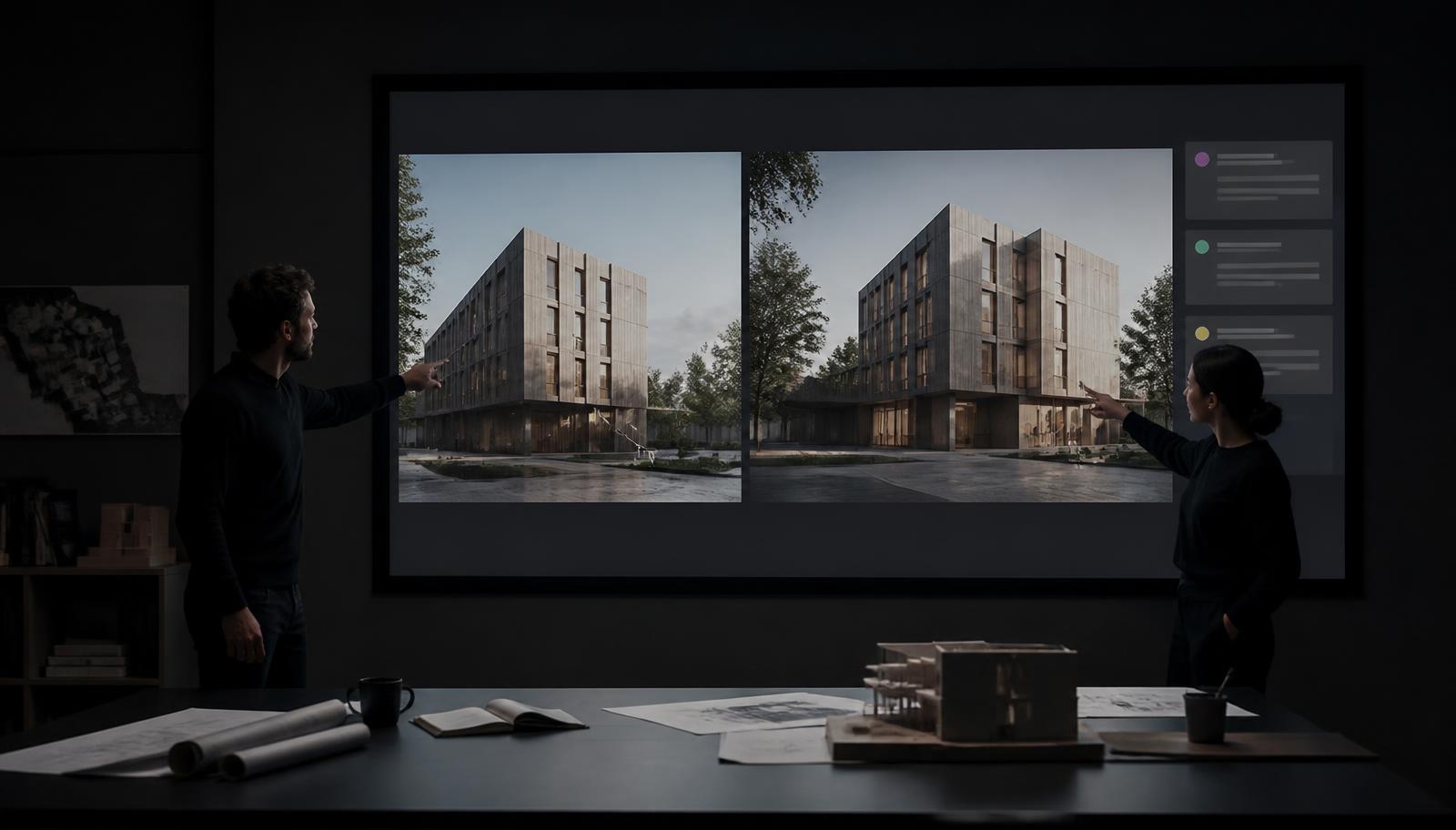
Instead of jumping between tools and screens, everything now happens in a single visual workspace.
Inside the Canvas you can:
- Work with multiple images at once
- Branch off new variations instantly
- Edit prompts and regenerate without losing context
- Enhance or stylise images directly in place
- Build a visual exploration of a design
Rather than treating AI like a sequence of buttons, the Canvas treats it like a workspace for ideas.
See the Canvas in Action
AI Should Feel Like a Creative Surface
One of the biggest lessons we've learned building Gendo is that AI tools shouldn't behave like utilities.
They should behave like creative environments.
When architects sketch, they don't switch between separate software tools every few minutes. They stay inside a single space and explore ideas fluidly.
The Canvas brings that same philosophy to AI-powered visualisation.
Images, prompts, and variations live together in one place.
You can branch off new directions, test visual ideas, and explore different design atmospheres without breaking your flow.
Instead of issuing commands to an AI tool, it becomes a continuous visual conversation with your design. For teams already using features like Quick Populate or Custom Cutouts, the Canvas brings these capabilities into a single, fluid workspace.
Faster Iteration Leads to Better Design
Speed matters in architecture, but not just rendering speed.
What really matters is the speed of iteration.
The faster you can visualise an idea, the faster you can evaluate it, discard it, or improve it. Habitat Studio Architects saw a 70% reduction in visualisation time — the Canvas pushes that further by removing workflow friction entirely.
The Canvas dramatically reduces the friction between idea and image.
You stay inside the same workspace while exploring variations, enhancing visuals, and testing prompts.
That means:
- More experimentation
- More options explored
- Better client communication
- Stronger design decisions earlier in the process
Collaboration Changes Everything
Architecture is never a solo endeavour. Design decisions are shaped by conversations between architects, project managers, clients, and consultants. Yet most visualisation tools treat rendering as an individual task — one person, one machine, one output.
The Canvas is built differently. It's a shared workspace where an entire team can explore, comment, and refine design directions together in real time.
When your team can see the same visual explorations simultaneously, decisions happen faster. Feedback loops shorten. Misalignment between what was discussed and what was visualised disappears.
Instead of emailing renders back and forth or presenting static images in a meeting, the Canvas becomes a live surface for design collaboration — where ideas are tested, compared, and resolved together.
This matters most at the moments that count: concept reviews, client presentations, and planning submissions. When the whole team is working from the same visual source of truth, confidence in design decisions increases and rework decreases. For more on structuring these workflows effectively, see our guide on architecture project management.
Built With Architects
The Canvas wasn't designed in isolation.
It has been shaped by direct feedback from architects and designers using Gendo every day — from solo practitioners to urban planning teams.
We watched how users actually worked. We studied where workflows slowed down. And we focused on removing those points of friction.
This release is just the starting point.
The Canvas opens the door for new capabilities we're already exploring, from deeper editing tools to more collaborative workflows and new ways of presenting design ideas.
The Future of Architectural Visualisation
AI isn't just making rendering faster.
It's changing when visualisation happens.
Concept sketches can become atmospheric images instantly. Grey models can turn into client-ready visuals in minutes. Projects like Repackaged demonstrate how AI visualisation is already extending the boundaries of architectural expression.
Visualisation is moving earlier into the design process, where it becomes a tool for exploration rather than just presentation.
The Canvas is designed for that future.
Have questions about how Gendo fits into your workflow? Read our comprehensive FAQ.
George Proud Founder, Gendo