Using the Describe Tool
Generate images directly from text descriptions combined with optional reference images.
What is the Describe Tool?
The Describe tool allows you to generate images directly from text descriptions. It uses AI to interpret your prompt and create architectural visuals based on your instructions. This tool is ideal for generating concept imagery, exploring design ideas, visualising architectural scenes, and creating references for further refinement on the canvas. You can combine text descriptions and reference images to guide the generated results.
Understanding the interface
The Describe Panel
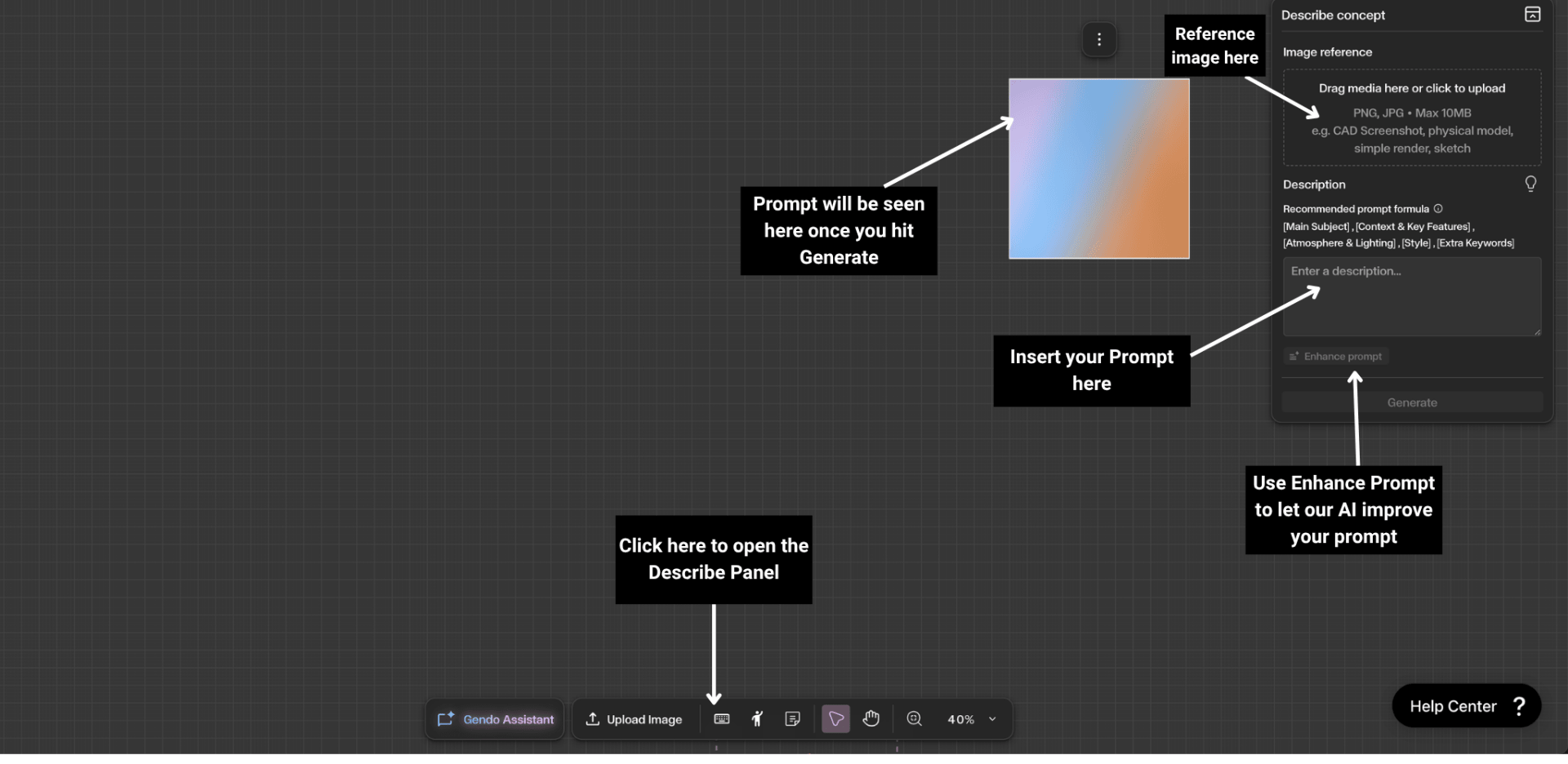
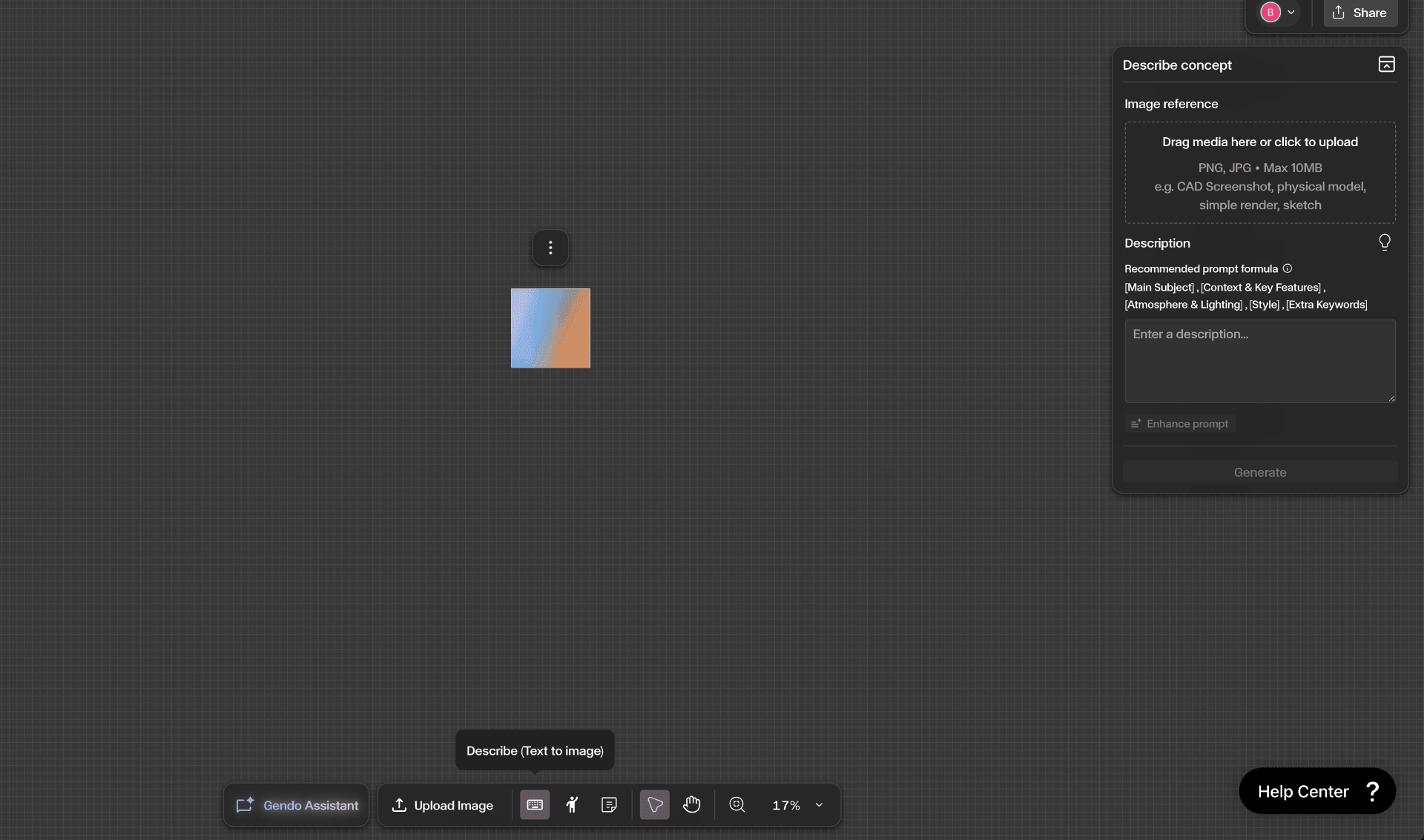
Click the Describe icon in the bottom toolbar to open the Describe Concept panel on the right side of the canvas. The panel includes:
- Image Reference — Drag and drop or click to upload a reference image (PNG, JPG, max 10MB). Use a CAD screenshot, physical model, simple render, or sketch to guide the style, composition, and context of the generated result.
- Description — Enter your prompt using the recommended formula: [Main Subject], [Context & Key Features], [Atmosphere & Lighting], [Style], [Extra Keywords].
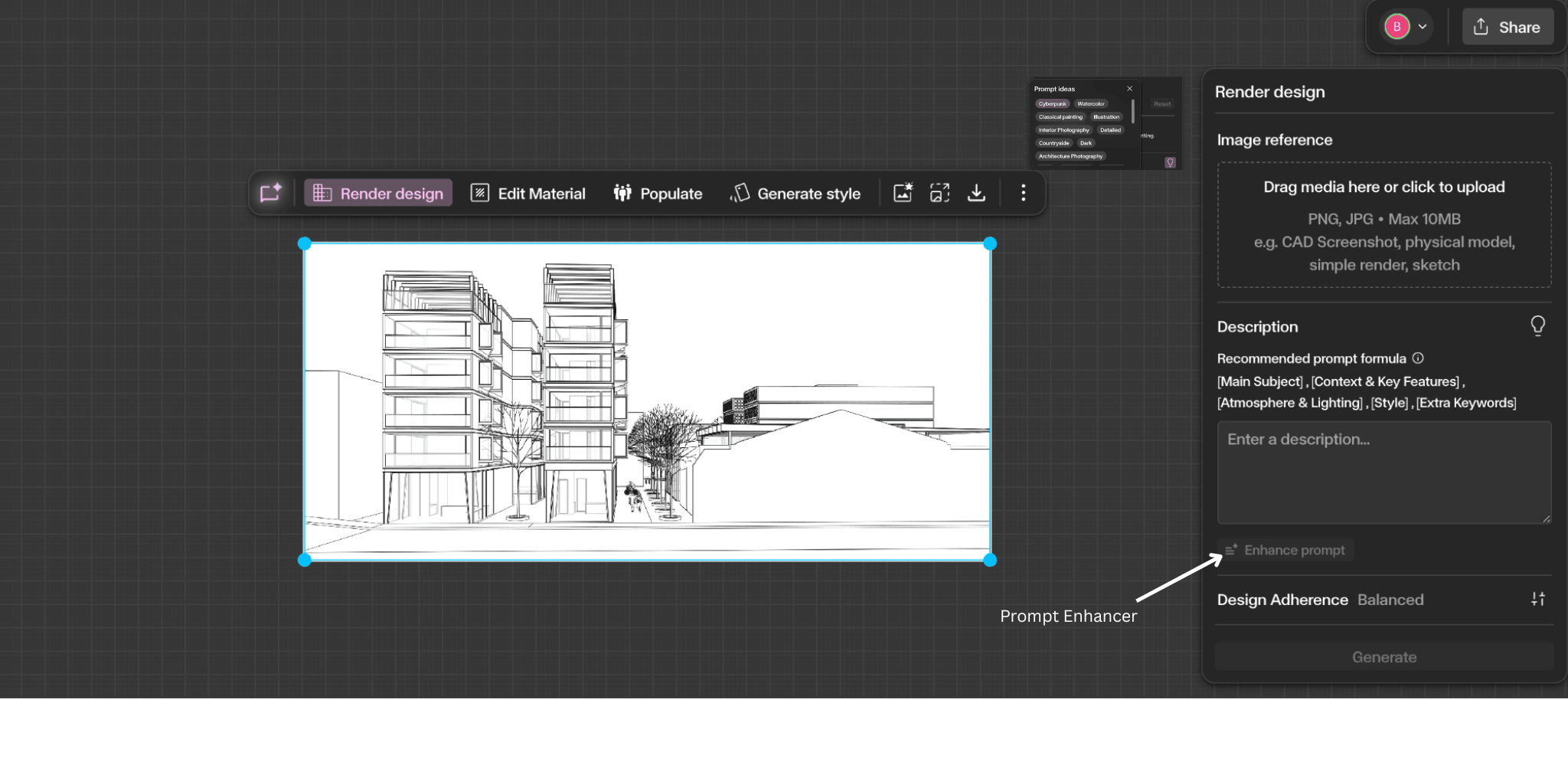
- Enhance Prompt — Automatically rewrites your prompt with clearer structure, richer visual details, and improved prompting language.
Step by Step
Open the Describe panel
Click the Describe icon in the bottom toolbar to open the Describe Concept panel on the right side of the canvas.
Write your prompt and attach a reference image
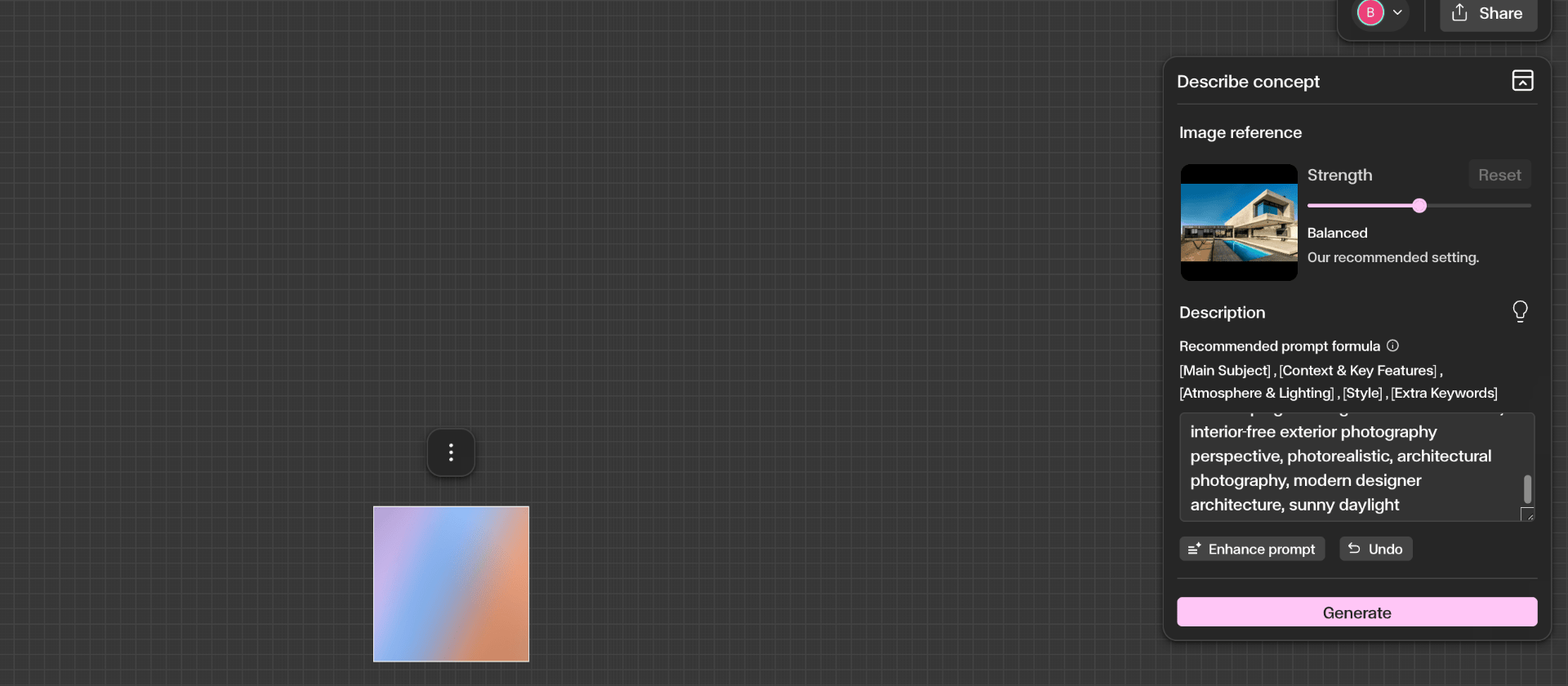
Enter a text description using the recommended formula: [Main Subject], [Context & Key Features], [Atmosphere & Lighting], [Style], [Extra Keywords]. Optionally upload a reference image to guide style, composition, and context. Use Enhance Prompt to automatically improve your description.
Generate and add to the canvas
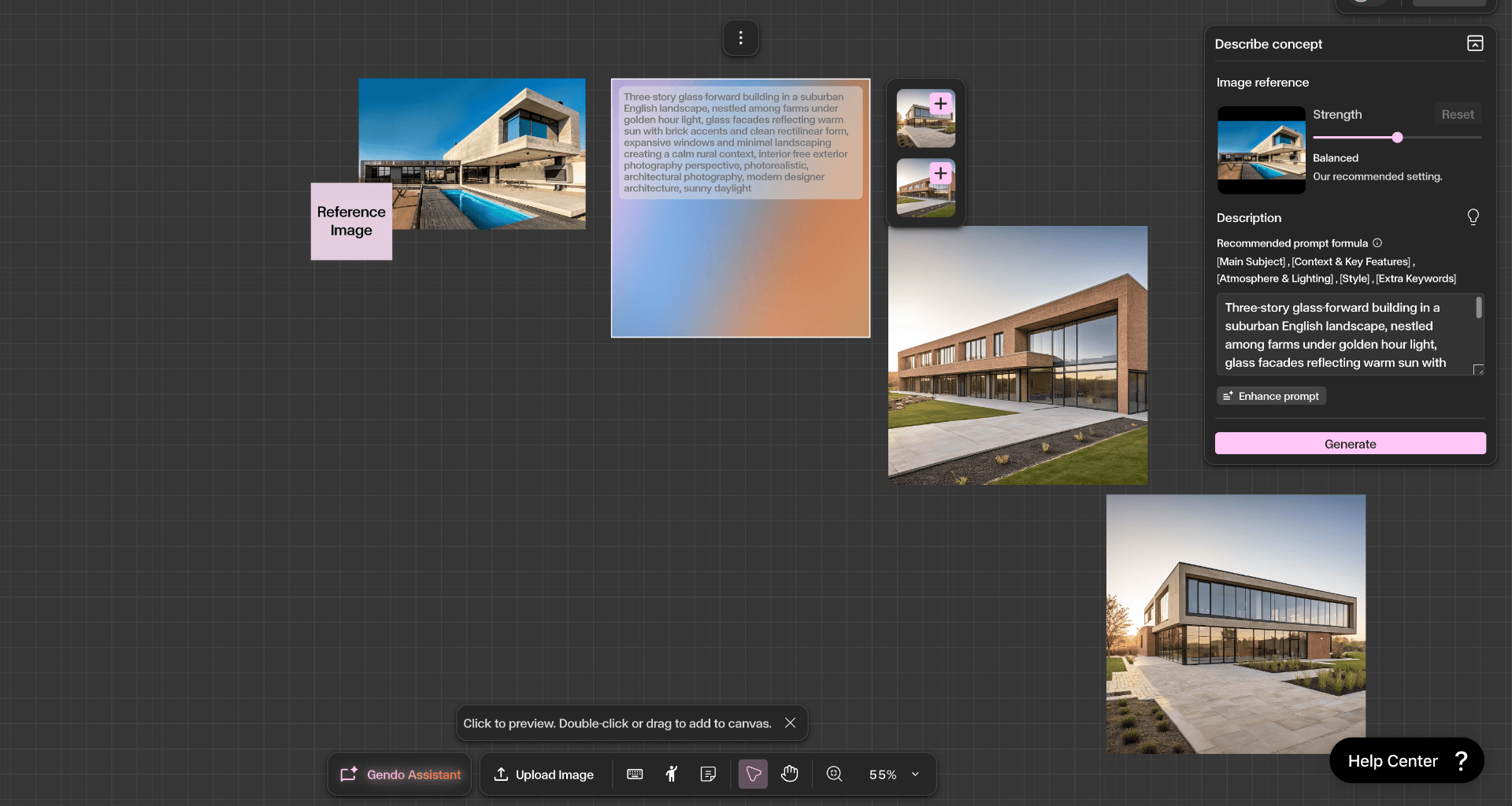
Click Generate to create your images. Preview the results, then double-click or drag to add them to your canvas. Continue refining using Material, Style, Populate, or Enhance tools.
Get Better Results
Write clear and descriptive prompts — include materials, lighting, and architectural style for better results.
Use reference images when possible to guide composition and style.
Use Enhance Prompt to improve shorter or simpler prompts automatically.
Combine the Describe tool with Material, Style, or Enhance tools to refine generated concepts further.