Using the Upscale Tool
Increase image resolution for presentations, print boards, and high-resolution exports.
What is the Upscale Tool?
The Upscale tool increases the resolution of an image while preserving its visual quality and architectural detail. It generates larger, higher-resolution versions of your renders, making them suitable for presentations, print boards, client deliverables, and high-resolution exports. Upscaling improves the clarity of materials, textures, and edges while keeping the original composition unchanged.
Understanding the interface
The Upscale Panel
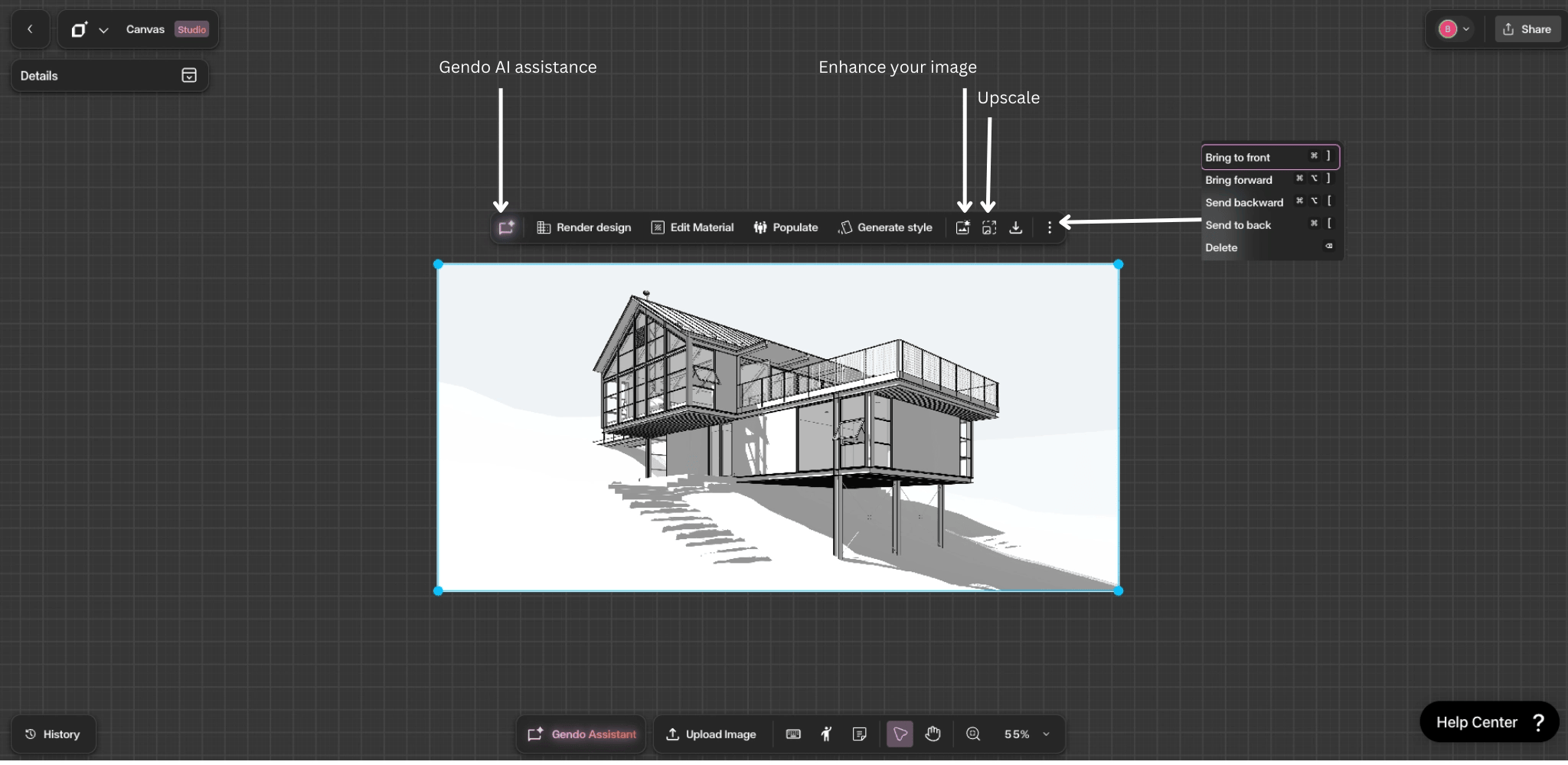
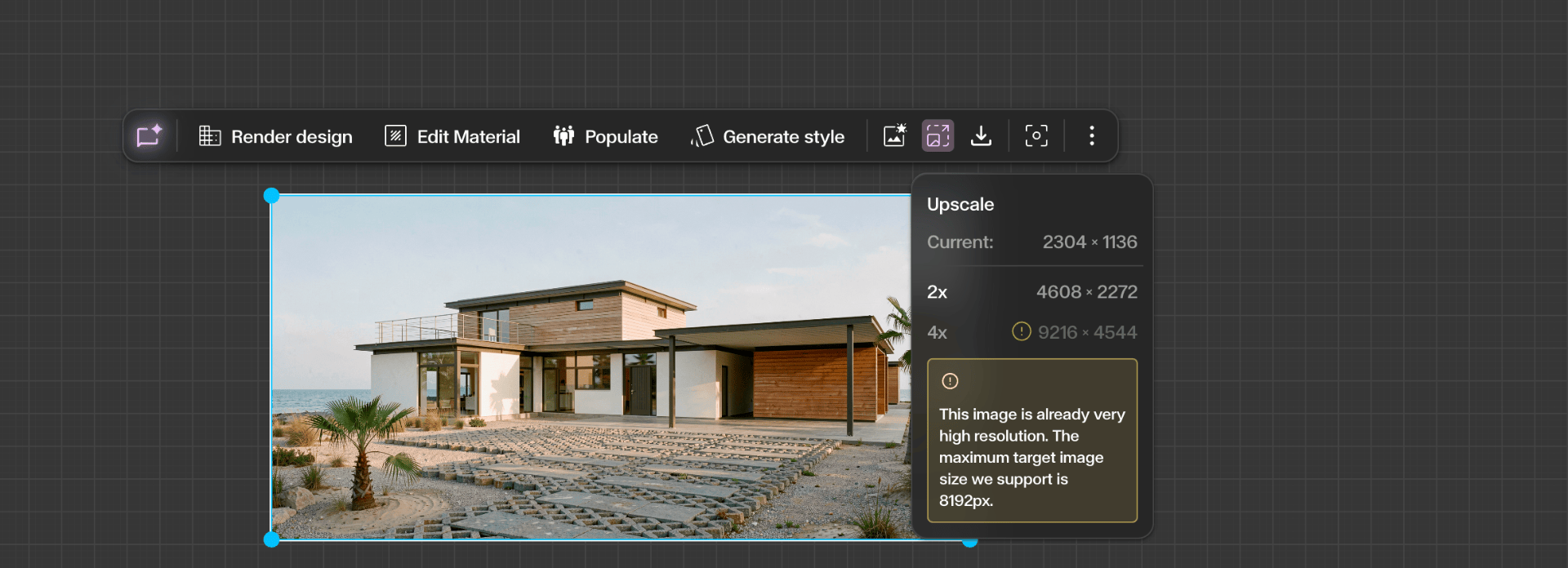
When you click the Upscale icon from the contextual toolbar, a small Upscale panel appears near the image showing the available upscale options.
You can choose between:
- 2× Upscale — Doubles the resolution of the original image.
- 4× Upscale — Generates a significantly higher resolution version for large presentations or printing.
Step by Step
Select your image and open Upscale
Click an image on the canvas to reveal the contextual toolbar. The Upscale icon is located in the top-right area of the toolbar — click it to open the Upscale panel.
Note: The Upscale feature is only available on paid plans. If you are on the Free tier, this tool will not be accessible.
Choose your upscale size
Select between 2× or 4× upscale. Be mindful that if your image is already large, the 4× option may not be available — the tool will only offer sizes that are supported for the current image dimensions.
Upscaled image added to canvas
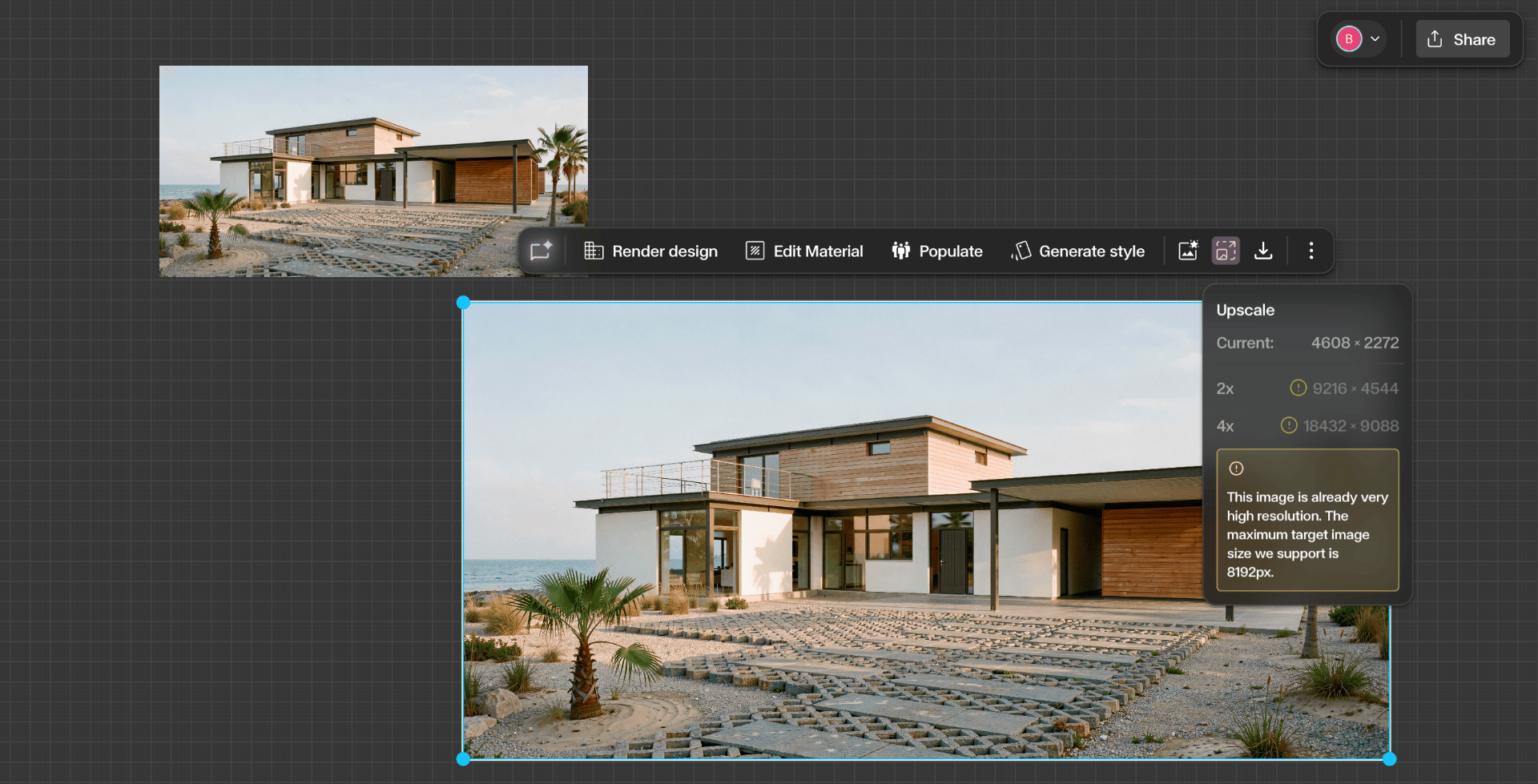
Once generated, the upscaled image is added directly to the canvas as a new asset. You can see the higher-resolution version alongside the original for comparison.
Get Better Results
Upscale is a paid feature — upgrade from the Free tier to access it.
Use 2× for quick improvements and 4× for high-resolution exports and large-format prints.
If 4× is unavailable, your source image may already be too large — try 2× instead.
Combine Enhance and Upscale for the highest quality output — enhance first to refine detail, then upscale for resolution.
Upscale preserves composition — it will not alter the content or layout of your image.